Reports & Analytics
Complete POS guide · Start a POS trial · Setup checklist
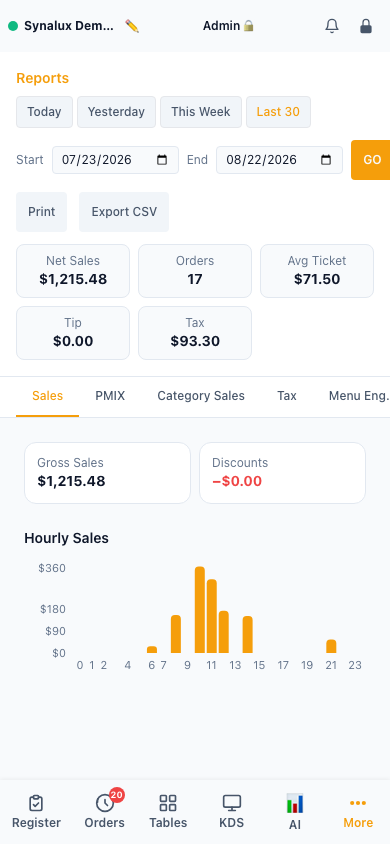
Reports
Sales, PMIX, category sales, per-tax/jurisdiction, menu engineering, speed of service, server leaderboard, payments, voids, and comps. CSV export on every report.
Setup
- Access from the Reports page — all reports are auto-generated from order data
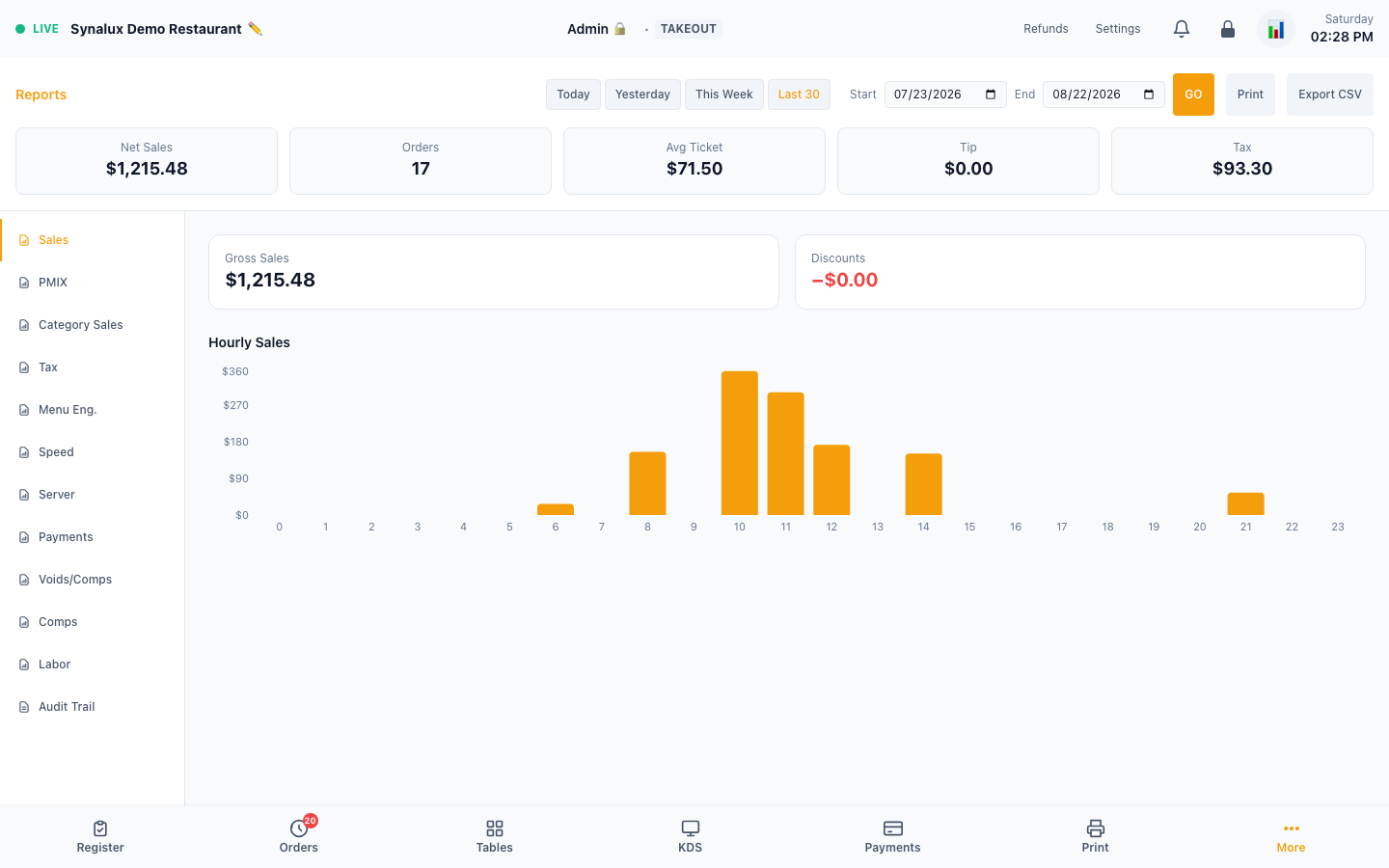
- Sales — hourly heatmap, daily/weekly/monthly totals
- PMIX — product mix by category, item, and modifier
- Category sales — sales rolled up by menu category (major group), with each category's share of net sales
- Tax — a per-jurisdiction breakdown (taxable sales + tax collected per tax zone) that reconciles against the recorded tax
- Comps — comped items itemized, broken down by (configurable) comp reason, with totals and CSV
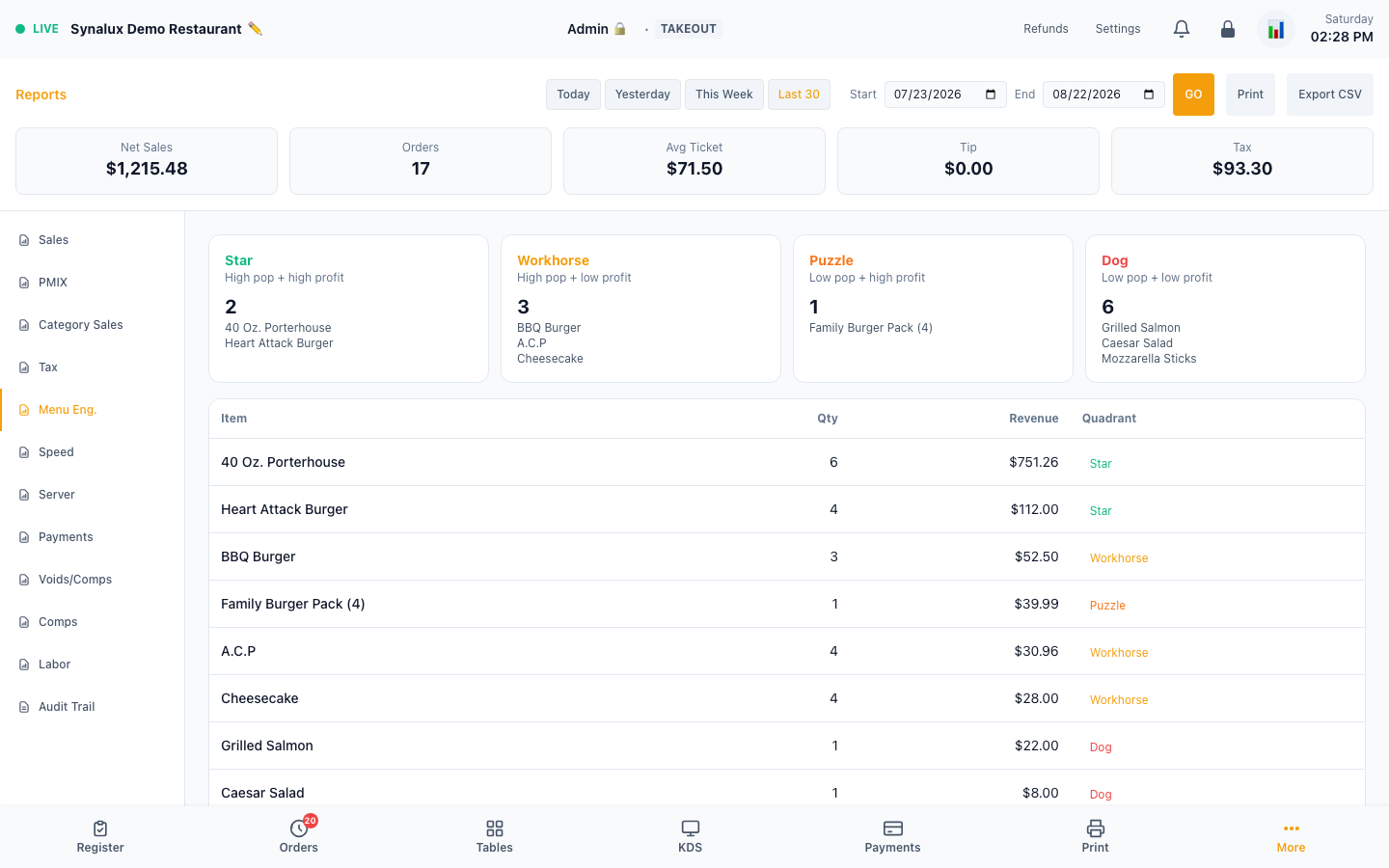
- Menu engineering — Star/Dog/Puzzle/Workhorse quadrant analysis
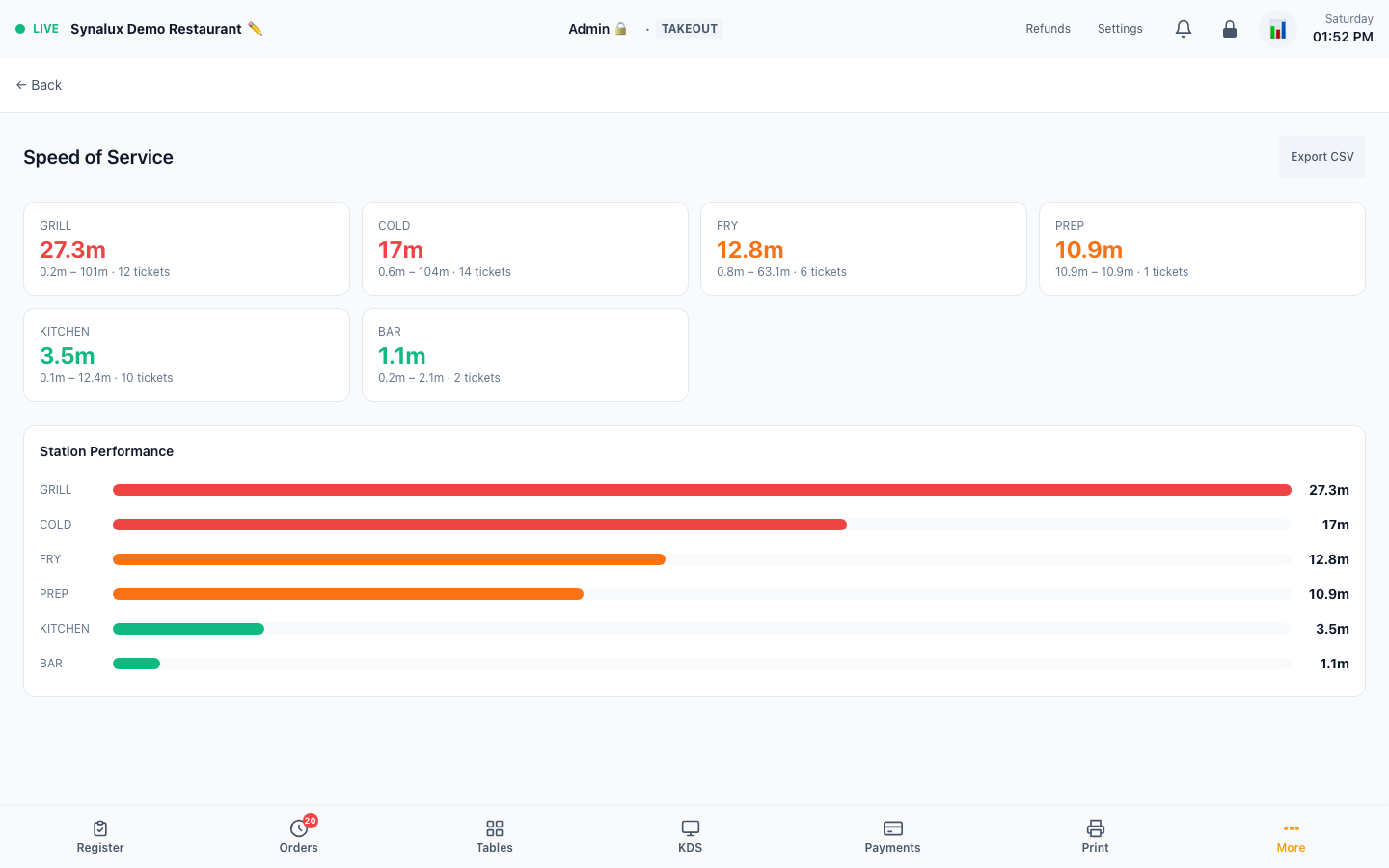
- Speed of service — per-station ticket times on the Reports Speed tab; Station view opens the colour-banded station page at
/pos/reports/speed - Server leaderboard — staff performance ranking at
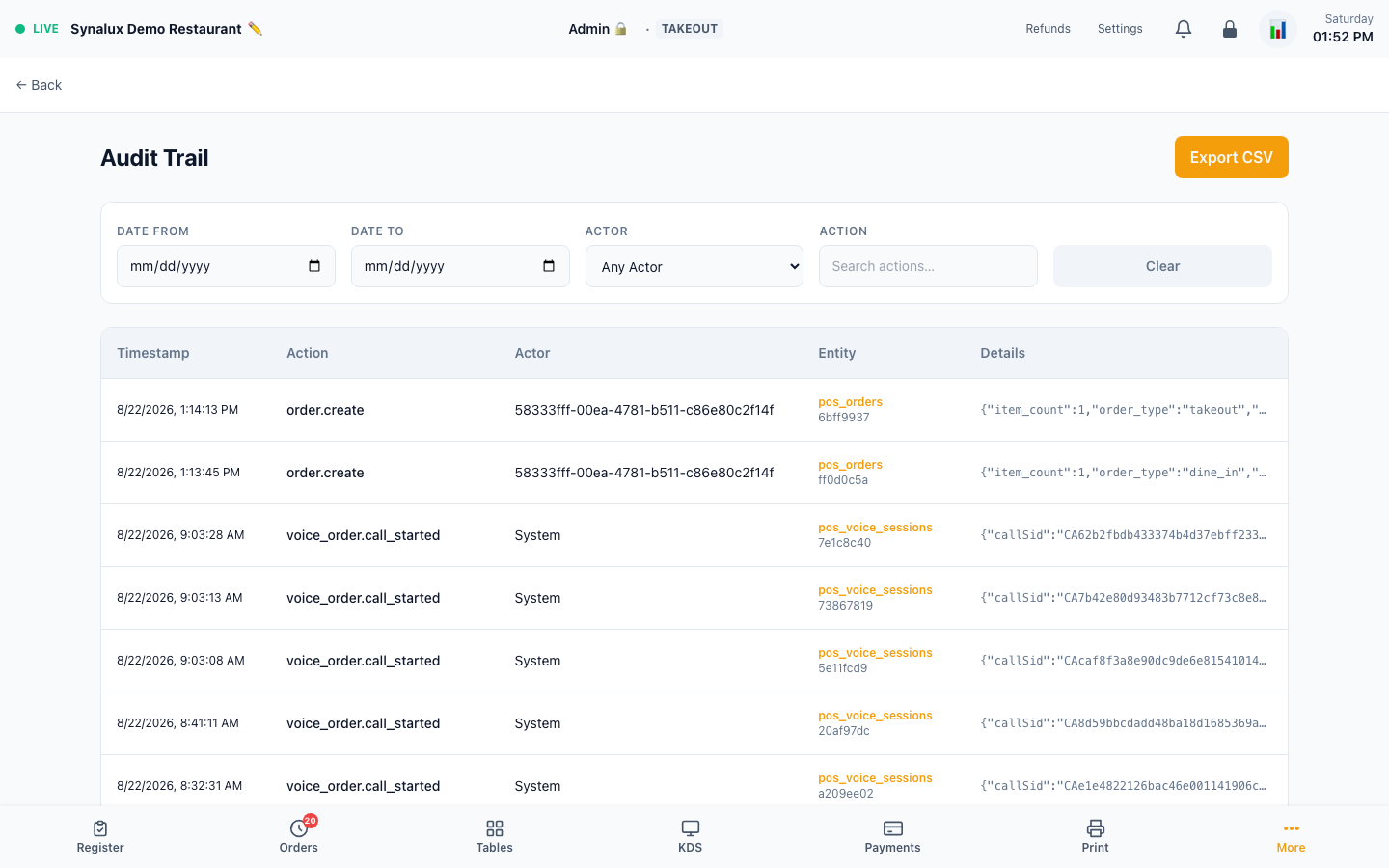
/pos/reports/leaderboard - Audit — actor, action, entity, timestamp, and details at
/pos/reports/audit - Labor — hours, break minutes, overtime, and meal-penalty premium folded into gross pay
- CSV export — every report has a one-click CSV download
Manager Mobile
iPhone access to reports, KPIs, and quick actions — same data as the desktop, optimized for mobile.
Setup
- Open
/pos/reportson any iPhone or mobile browser - Pin to home screen for quick access
- Live KPIs: today's sales, open checks, labor %, voids, and average ticket size
Real-Time Alerts
Automated alerts for low stock, overtime, and order delays. Auto-scan at every shift clock-in. Role-filtered — managers see everything, servers see their own.
Setup
- Low stock — set Low Stock Threshold on inventory items. The POS warns at the threshold and marks zero stock as critical
- Overtime — warning at 8 hours on clock, critical at 10 hours
- Order delay — warning at 25 minutes ticket age, critical at 40 minutes
- Alerts auto-scan at every staff clock-in — no manual trigger needed
- Duplicate protection — the same condition generates only one unread alert
- View alerts in the Reports dashboard (60-second auto-refresh)