Report signatures and BoldSign templates
Start from the reviewed clinical record so the request stays associated with the correct participant and report revision. A practice administrator manages the signing connection and clinical template library. Access also depends on the workspace plan and permissions.
Send a reviewed report
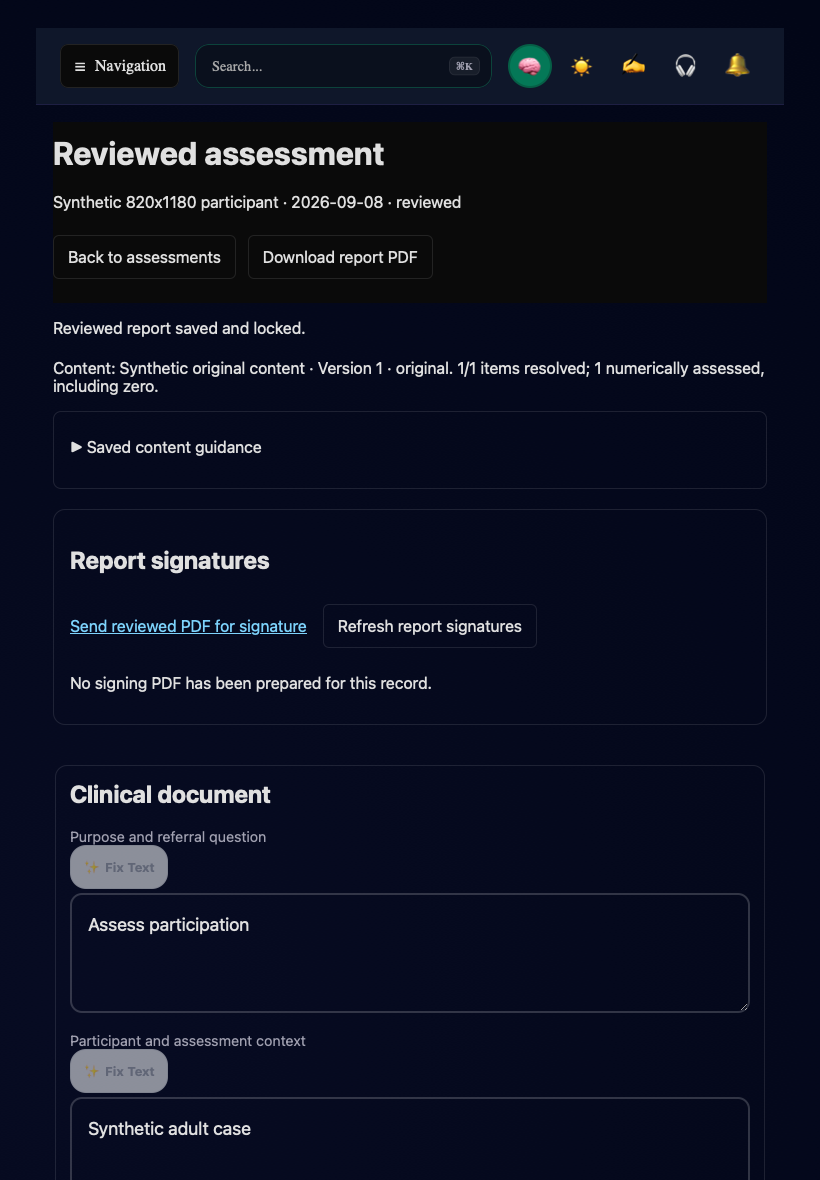
Synthetic staging record showing the entry point. This screenshot does not show a sent or completed request.
Link a practice template
The template must support the report attachment and required signer roles. When the connection or environment changes, use the library's revalidation or environment-copy action as appropriate. A saved mapping does not prove that a real request has been delivered or signed.
Retrieve results and resolve uncertain delivery
Use Refresh report signatures on the clinical record. Open retained signing PDF opens the prepared report revision. A Prepared · not sent entry has not yet produced a request. Completed requests provide the retained signed document and audit record when retrieval succeeds.
If delivery is unconfirmed, check the existing request and provider using the recovery action before sending another request. If the request needs to be linked to the provider record, use its recovery control. Recheck the participant, report revision, and provider identity before confirming the link.
This flow appends the reviewed report to compatible template signature pages; it does not place signatures directly on the original report pages. Completed-document downloads above 25 MB are rejected. Resolve retrieval errors on the existing request instead of assuming that provider status alone means the files are retained in the chart.
Return to Assessment documents, Adult FBA and BIP, or the BCBA workflow guide.