Payments & Checkout
Complete POS guide · Start a POS trial · Setup checklist
Payment
Card, cash, gift card, mobile pay, house account, bar tabs, and cash discount/dual pricing. Tap to Pay on iPhone appears only after the supported iPhone and Stripe Terminal setup are ready; EBT/SNAP authorization is not currently available. Split check, tips, and post-payment tip via QR are also supported.
Setup
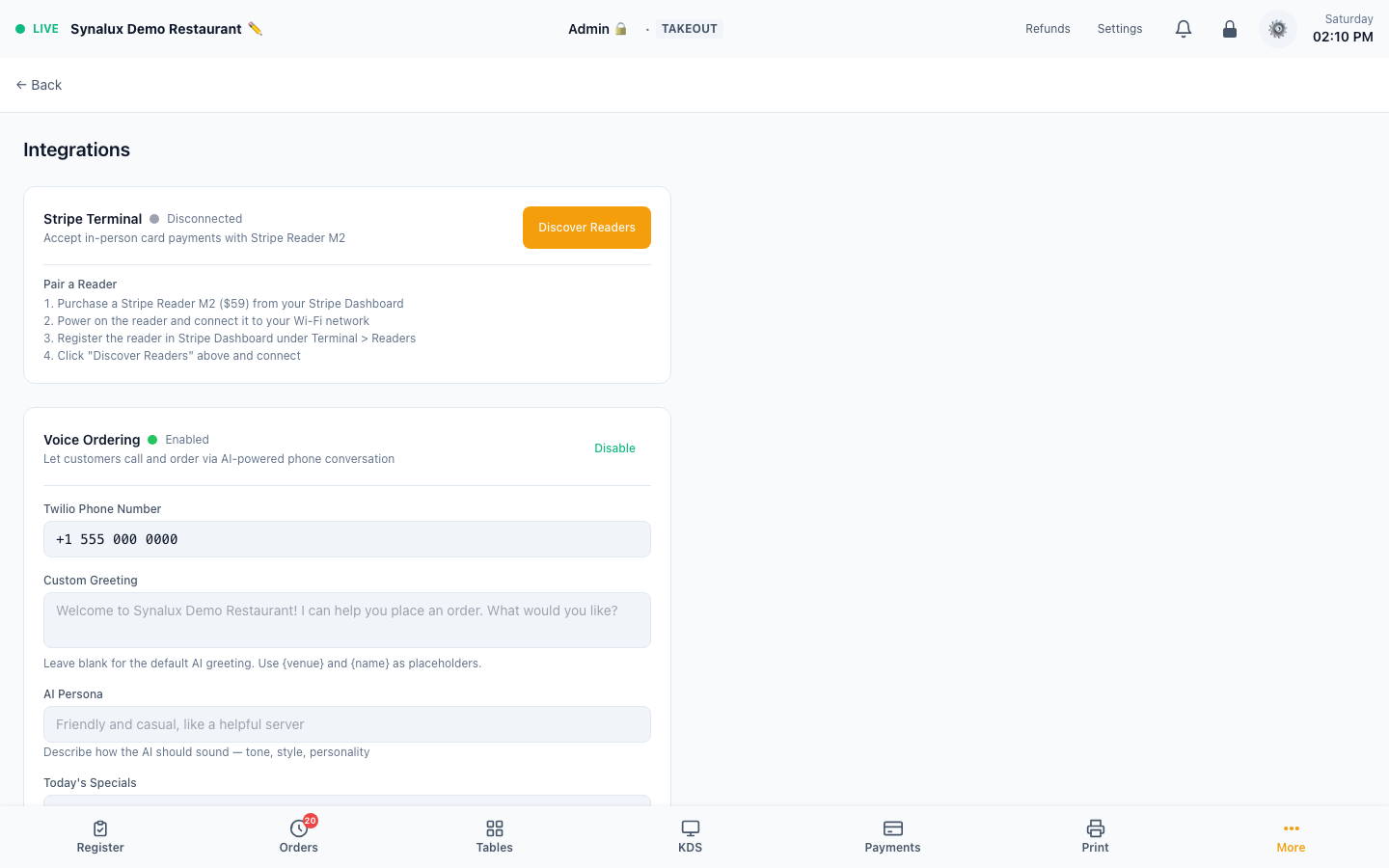
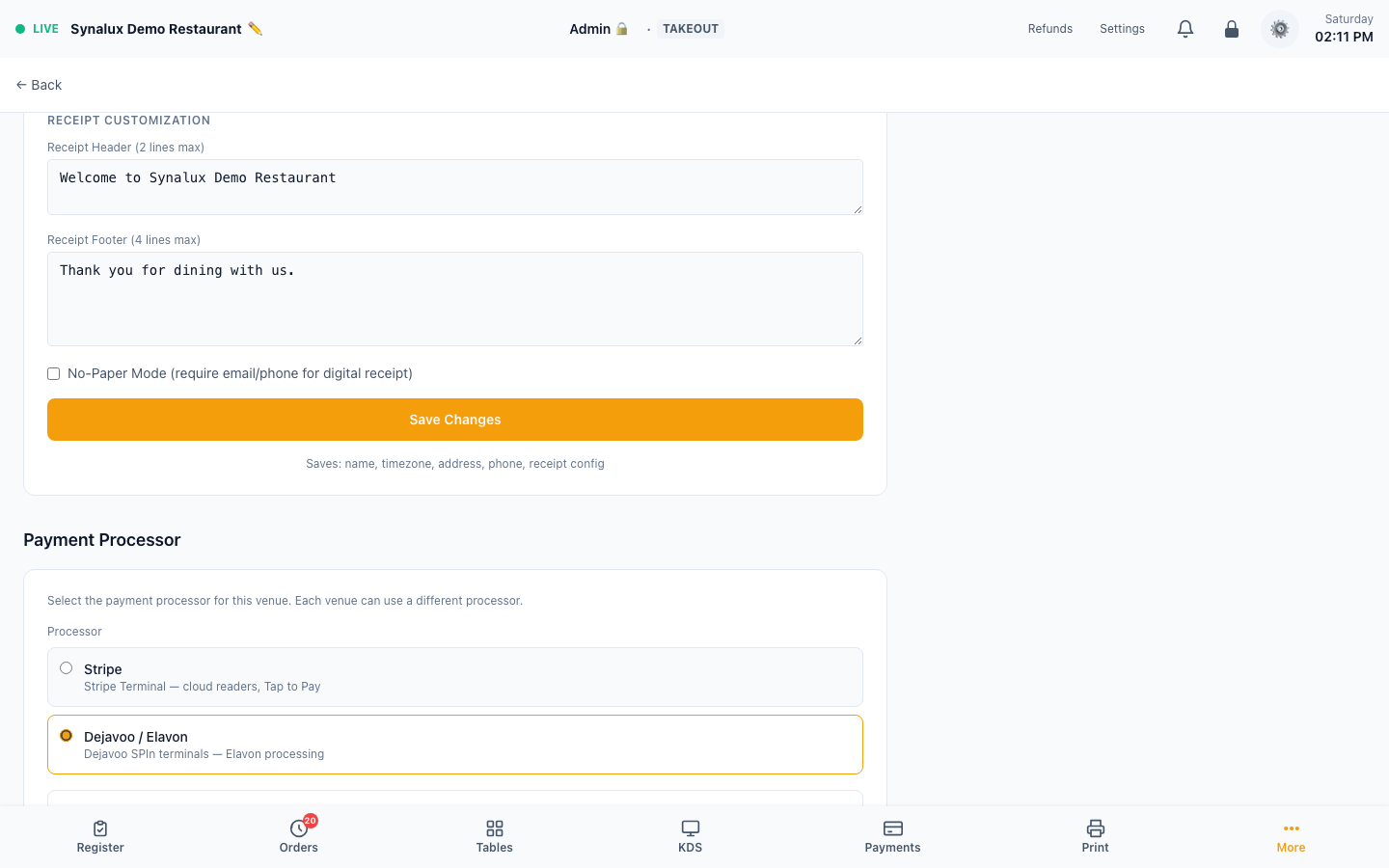
- Card — connect the venue's Stripe merchant account and location, then pair a supported reader from Settings > Integrations and complete an authorization/refund test
- Tap-to-Pay on iPhone — requires the Synalux POS iPhone app, Stripe as the venue processor, a supported signed build/device, a Stripe Terminal Location, and Stripe Tap to Pay availability. When the native capability check passes, tap Tap to Pay on iPhone on the payment screen; otherwise that tender stays hidden rather than presenting an unusable button
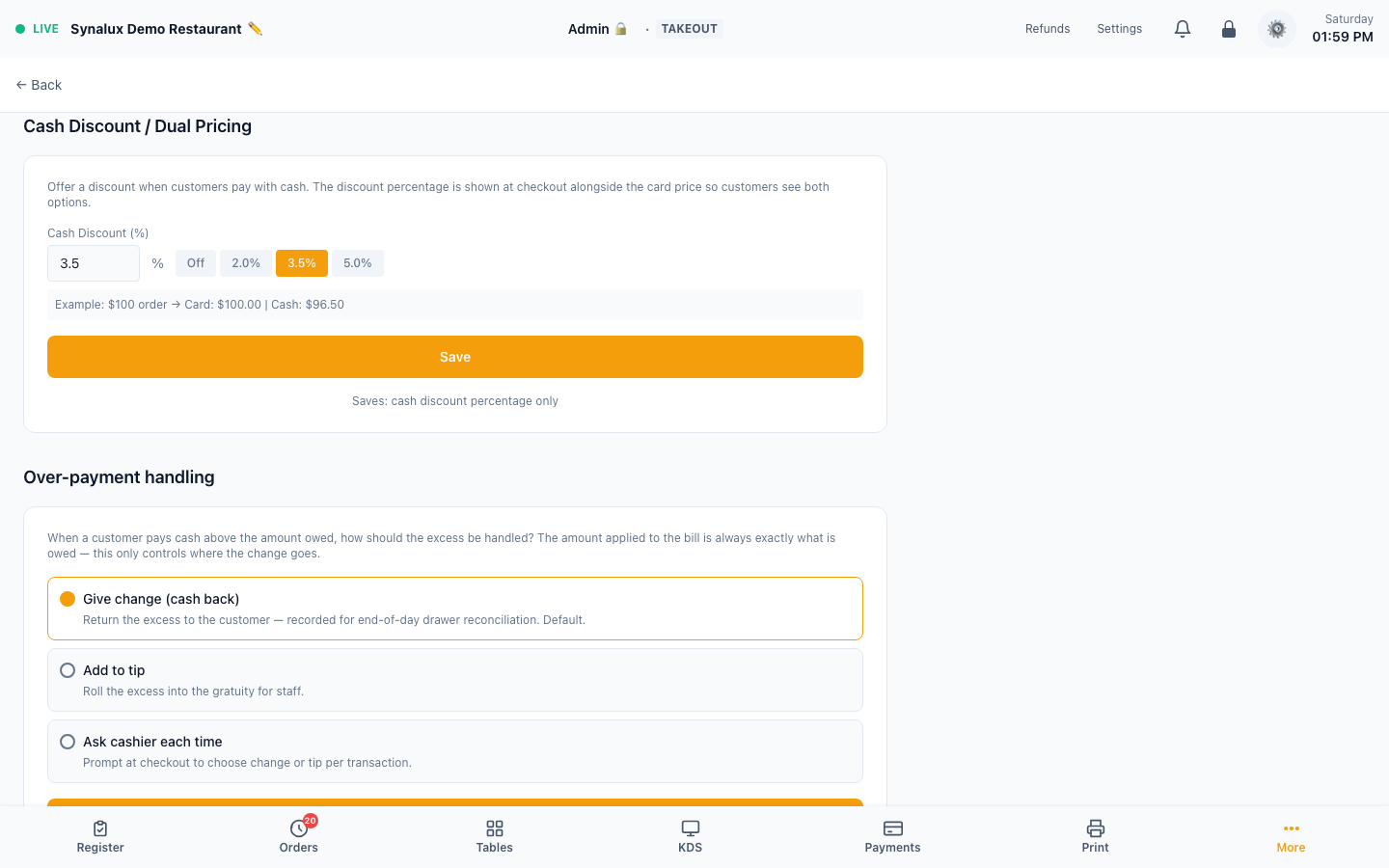
- Cash discount / Dual pricing — configure the cash discount percentage in Settings > Venue > Cash Discount. Customers see both card and cash prices at checkout (e.g. Card: $100 | Cash: $96.50)
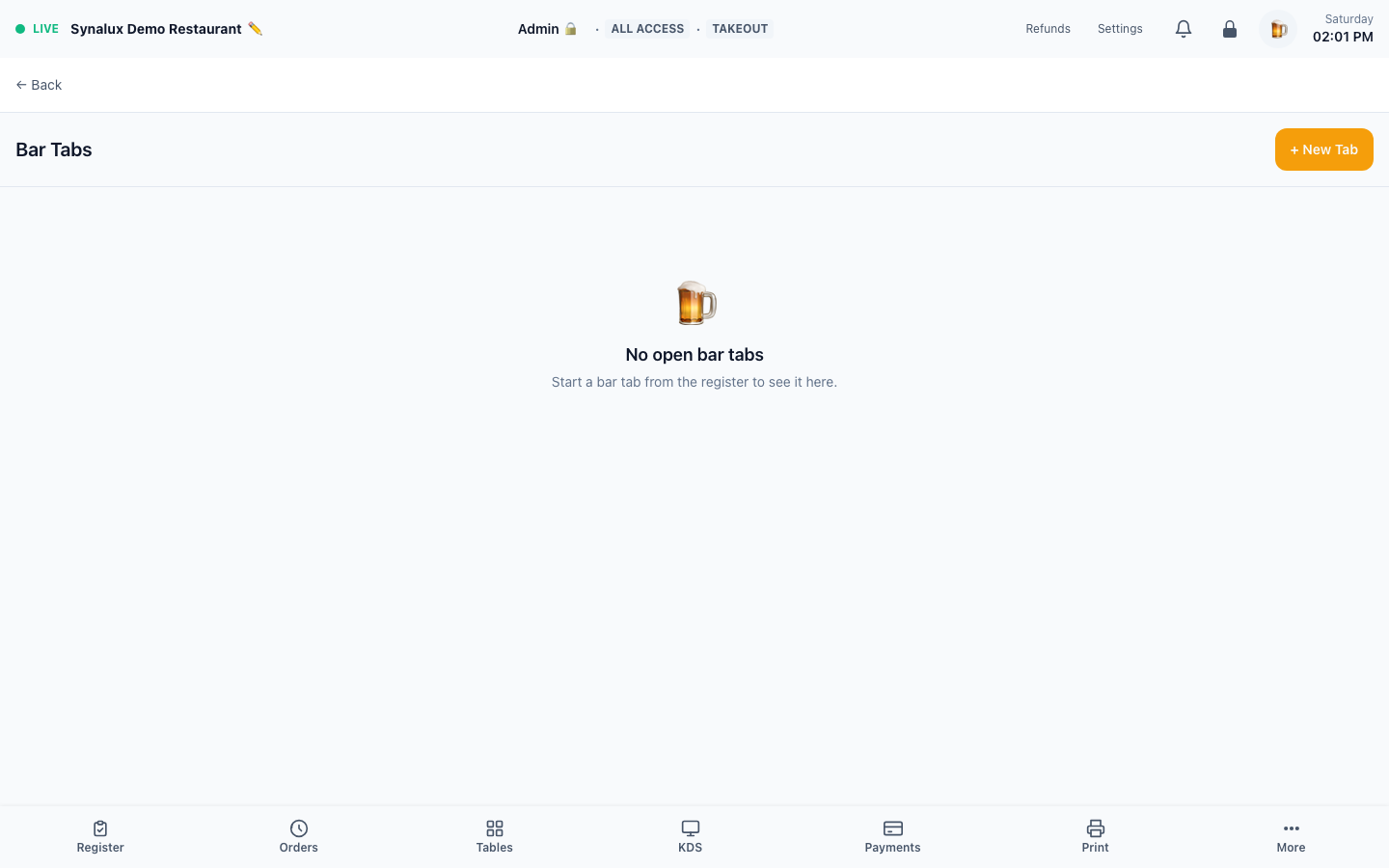
- Bar tabs — tap "🍺 Start Tab" at payment to pre-authorize a card and hold the check open. Open tabs show in the register sidebar with a one-tap "Close" button to capture the final amount. After a tab is sent, paid, or finished with Done, the register returns to the Bar Tabs list when the staff member's role can open it, and the list already shows that tab. Dine-in checks return to Tables the same way
- Gift cards — issue from the Gift Cards page
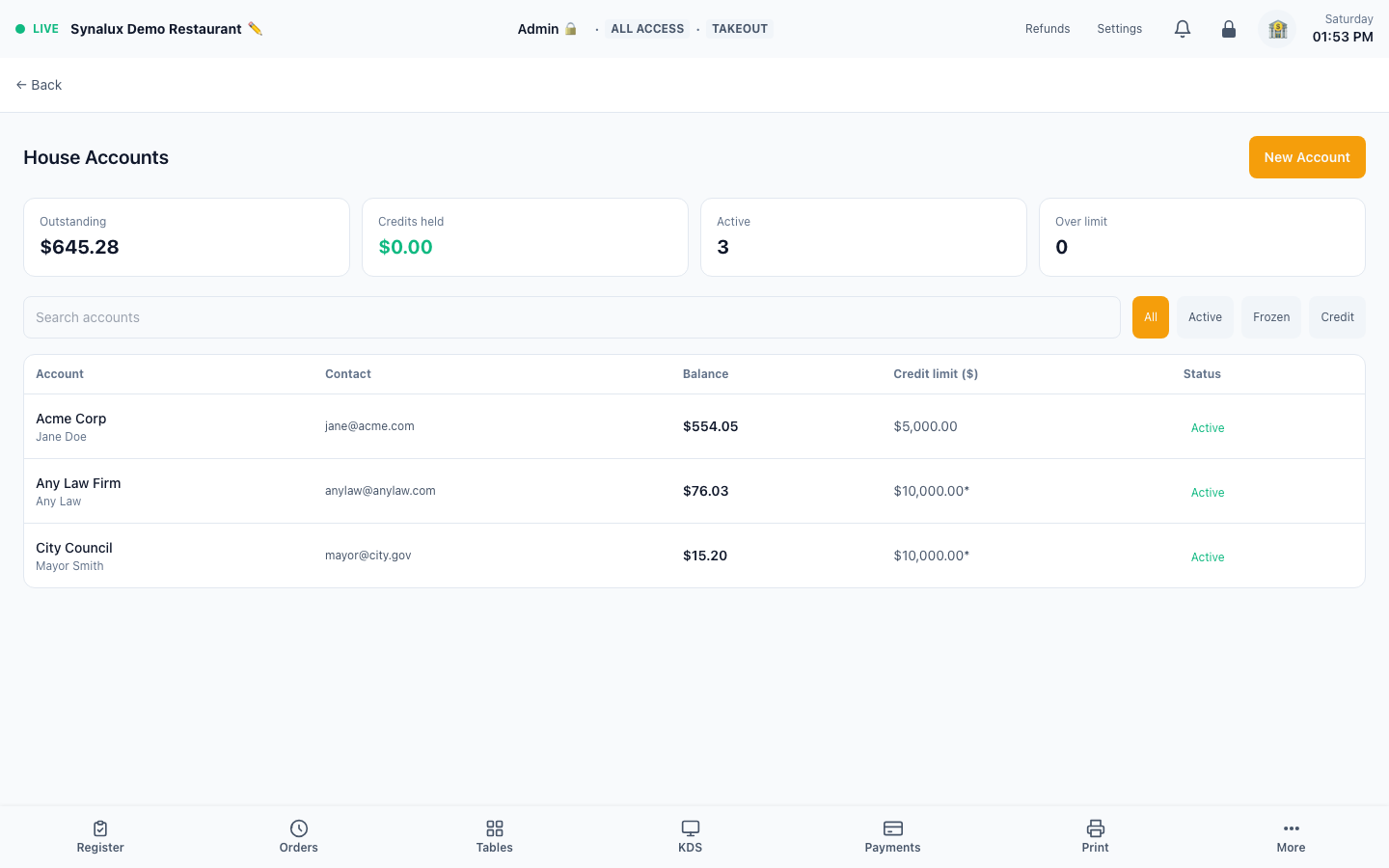
- House accounts — create the customer account on House Accounts, then choose House Account at payment or record standalone account activity. See House Accounts
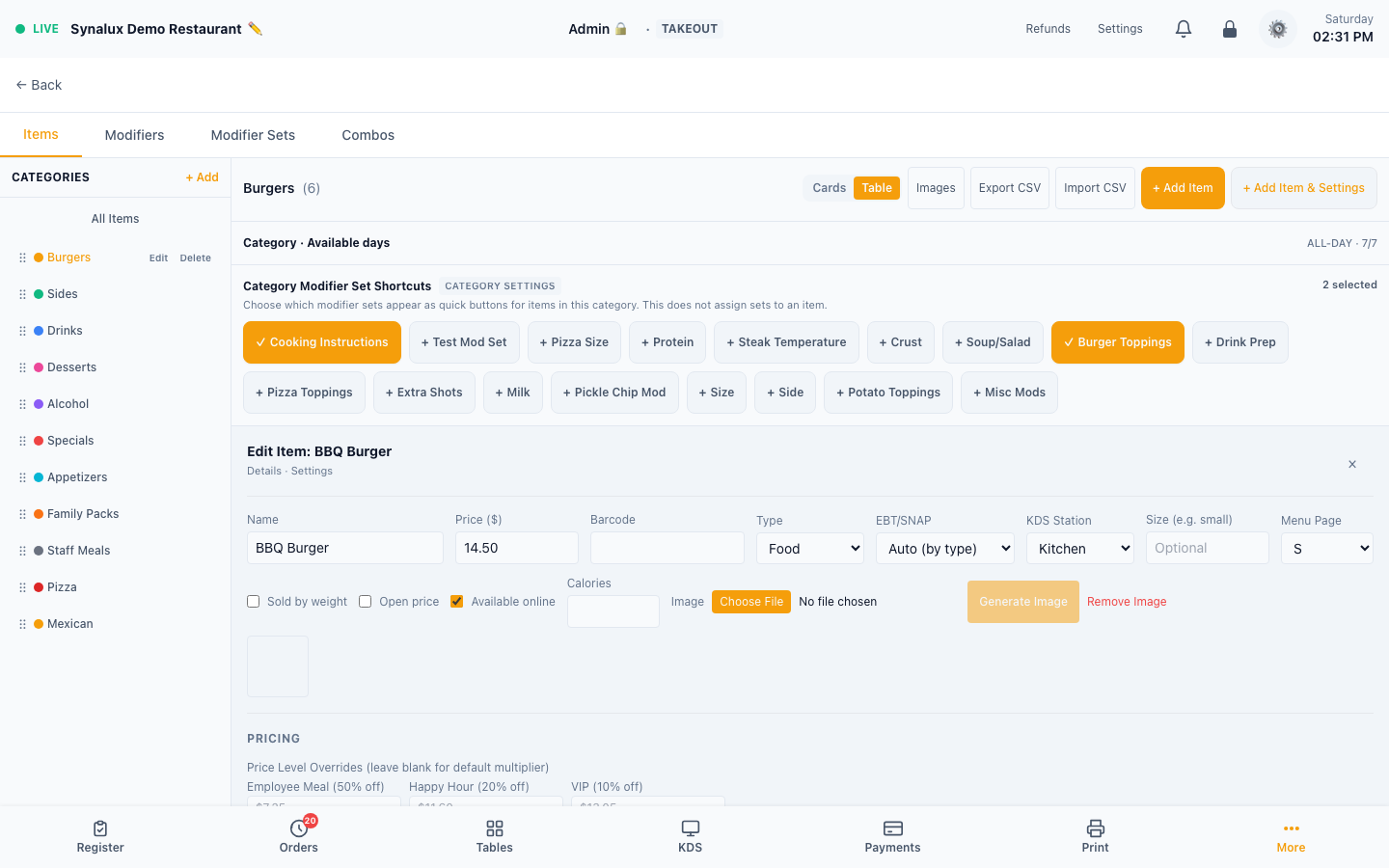
- EBT/SNAP — not currently available for payment authorization. Per-item eligibility already works: mark each menu item EBT-eligible / not eligible / auto in Menu Builder (auto infers from item type — food/beverage eligible, alcohol excluded), and the register exempts eligible items from tax at tender. The EBT tender cannot currently complete a payment, so contact support before promising EBT to a venue
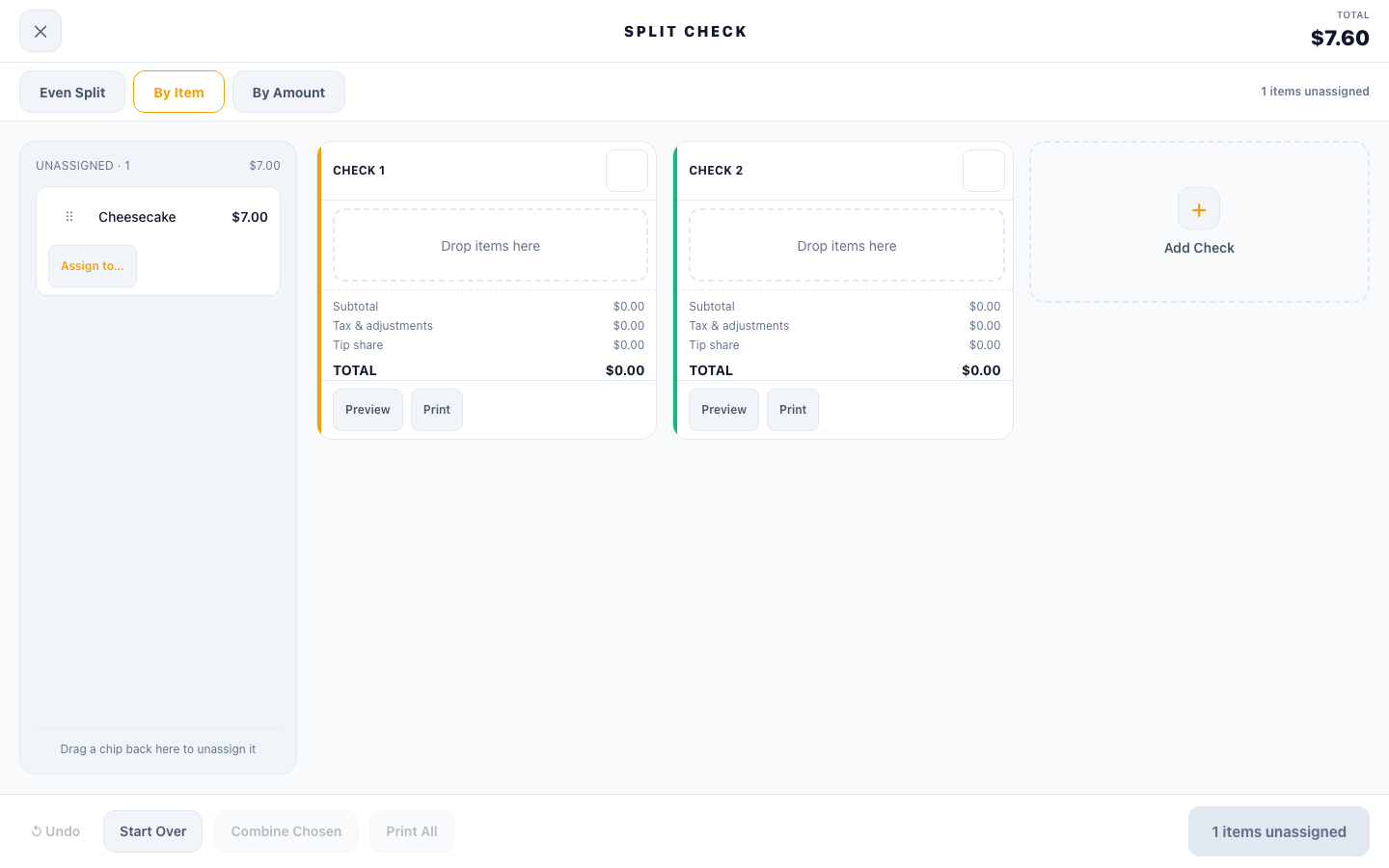
- Split check — four modes: even split, by seat, by item, and by custom amount. Each split can pay by a different method (card/cash/gift card). Unsplit (merge) an open split back into one check from the order panel
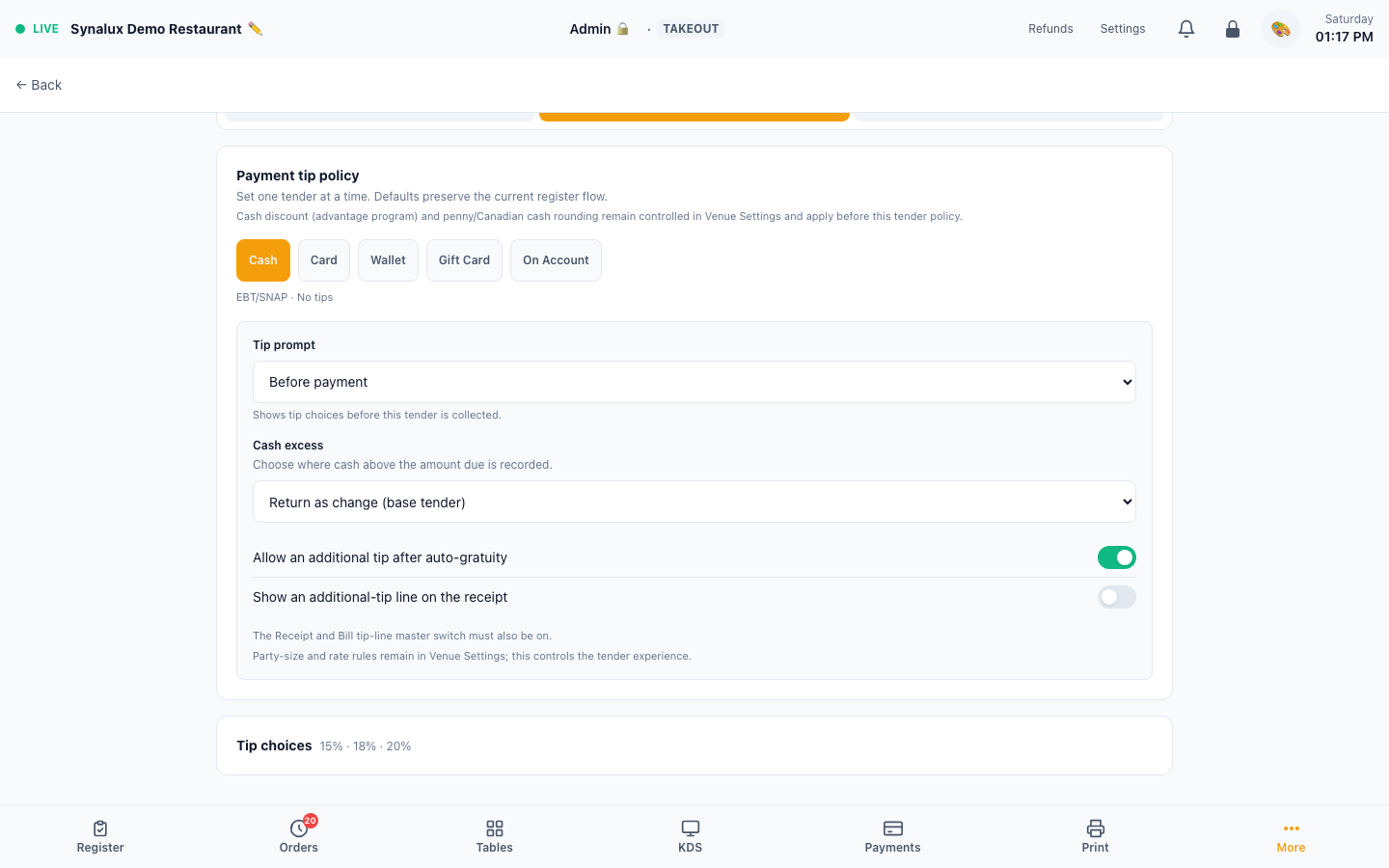
- Tender-specific tips and excess payments — open Settings > Screen Builder > Register > Payments, then select Cash, Card, Wallet, Gift Card, or On Account. Each tender can use its own tip timing. Cash can route an amount above the balance to change/base tender, tip, gratuity, or a cashier prompt. EBT/SNAP remains non-tippable
- Auto-gratuity and receipt tips — in the same Payments tab, decide per tender whether an additional tip is allowed after auto-gratuity and whether the receipt shows an additional-tip line. Suggested percentages, custom-tip visibility, and the maximum tip percentage are configured below the tender policy. The receipt's master tip-line control must also be enabled
- Venue-level pricing rules — Settings > Venue remains the source for cash discount/advantage-program pricing, auto-gratuity party-size and rate rules, and cash rounding. Canadian cash is rounded to the nearest five cents; another currency follows penny amounts unless nickel rounding is enabled. These rules are applied before the tender-specific policy
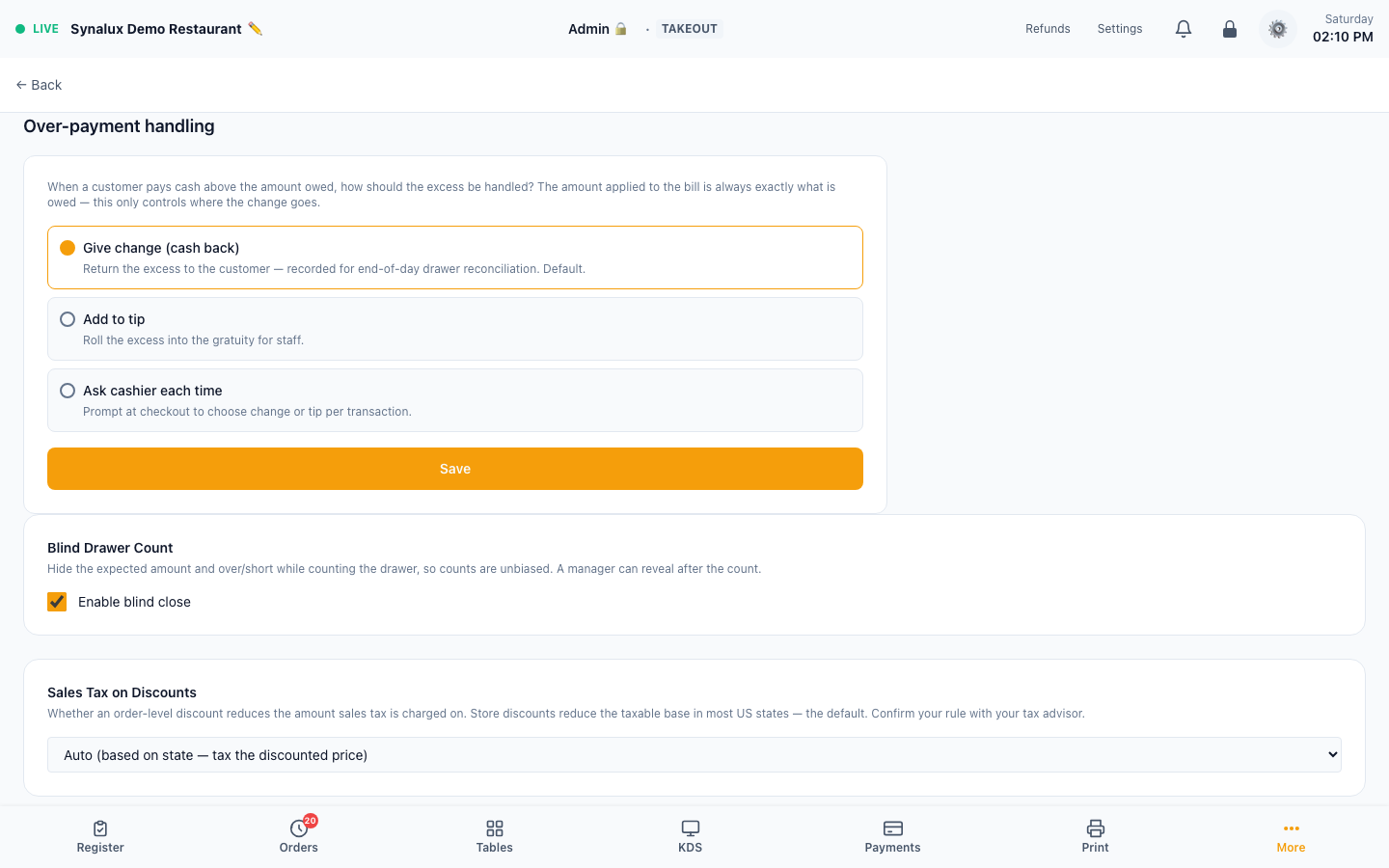
- Legacy/default over-payment fallback — Settings > Venue > Over-payment handling supplies the venue fallback (Give change, Add to tip, or Ask cashier each time) when the Screen Builder payment-tip policy is not active. Once the Screen Builder policy is active, its Cash excess setting controls the tender workflow. The amount applied to the bill remains the amount owed; excess is recorded according to the selected policy
Payment review, receipts, disputes, and refunds
These pages serve different jobs:
| Page | Route | Purpose |
|---|---|---|
| Payment Review | /pos/payments |
Exception queue for payments that need staff review; it is not the complete payment history and can legitimately be empty |
| Receipts | /pos/receipts |
Find an order, select it, then preview, print, email, or text its receipt |
| Disputes | /pos/disputes |
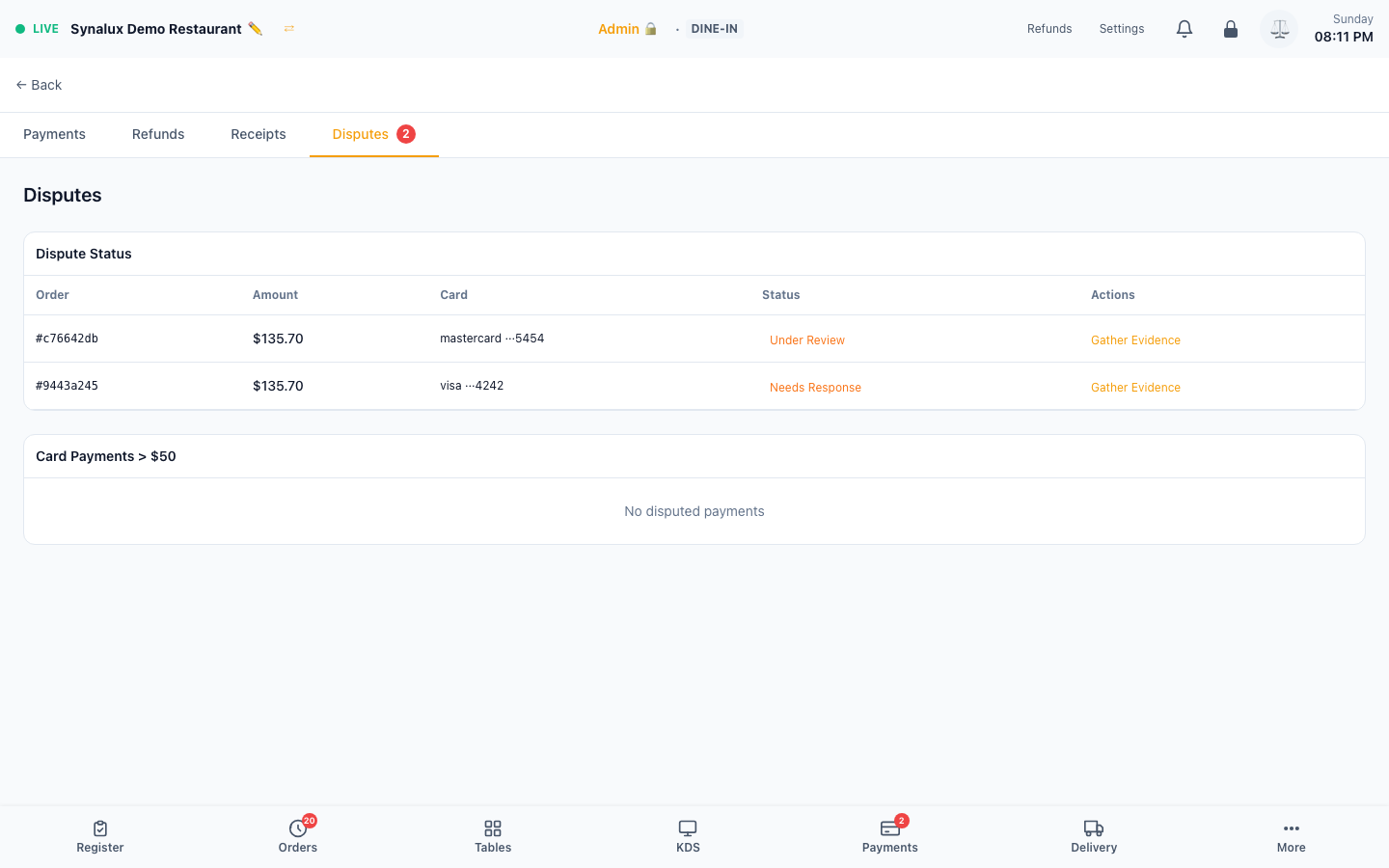
Chargeback/dispute cases, evidence, amount, status, and due dates |
| Refunds | /pos/refunds |
Search completed sales and process or review partial/full refunds |
Payments, Refunds, Receipts, and Disputes share a tab strip at the top of each page. It shows only the pages the staff member's role can open, and it hides when only one is available. When a payment has an open dispute, the Disputes tab and the Payments button in the bottom bar show a count. Disputes is admin-only until granted in Settings > Role Permissions.
Empty review queues and the pre-selection Receipts state are intentionally not used as screenshots.
Backup Processor Failover
If your primary card processor has an outage, an admin can switch an individual station to a pre-configured backup processor so the floor keeps taking cards.
Before you need it (one-time setup):
- Configure the backup processor's credentials in Settings → Integrations — credentials save independently of which processor is active
- For a Stripe backup, complete Stripe onboarding when invited — the switch refuses to activate until the Stripe account can actually charge
During an outage:
- An admin opens Settings → Stations, edits the affected station, and uses Payment Processor — continuity failover: pick the backup processor, enter a reason, tap Activate failover
- The register shows an amber banner — "⚡ Station is on STRIPE failover" — and its card payments route to the backup processor. Other stations stay on the primary
- When the primary recovers, an admin taps Fail back on the banner or in station settings
Good to know:
- Both switching over and switching back require an admin — a cashier tapping the banner can't accidentally fail back while the primary is still down
- Every activation and failback is recorded in the audit log with who, when, and why
- Refunds always go back through the processor that took the original payment, even after switching
- Payments taken on the backup settle to your bank on the backup processor's own schedule — expect a separate deposit line for those days
- Failover protects against a processor outage. It does not help if the venue loses all internet connectivity
Refunds
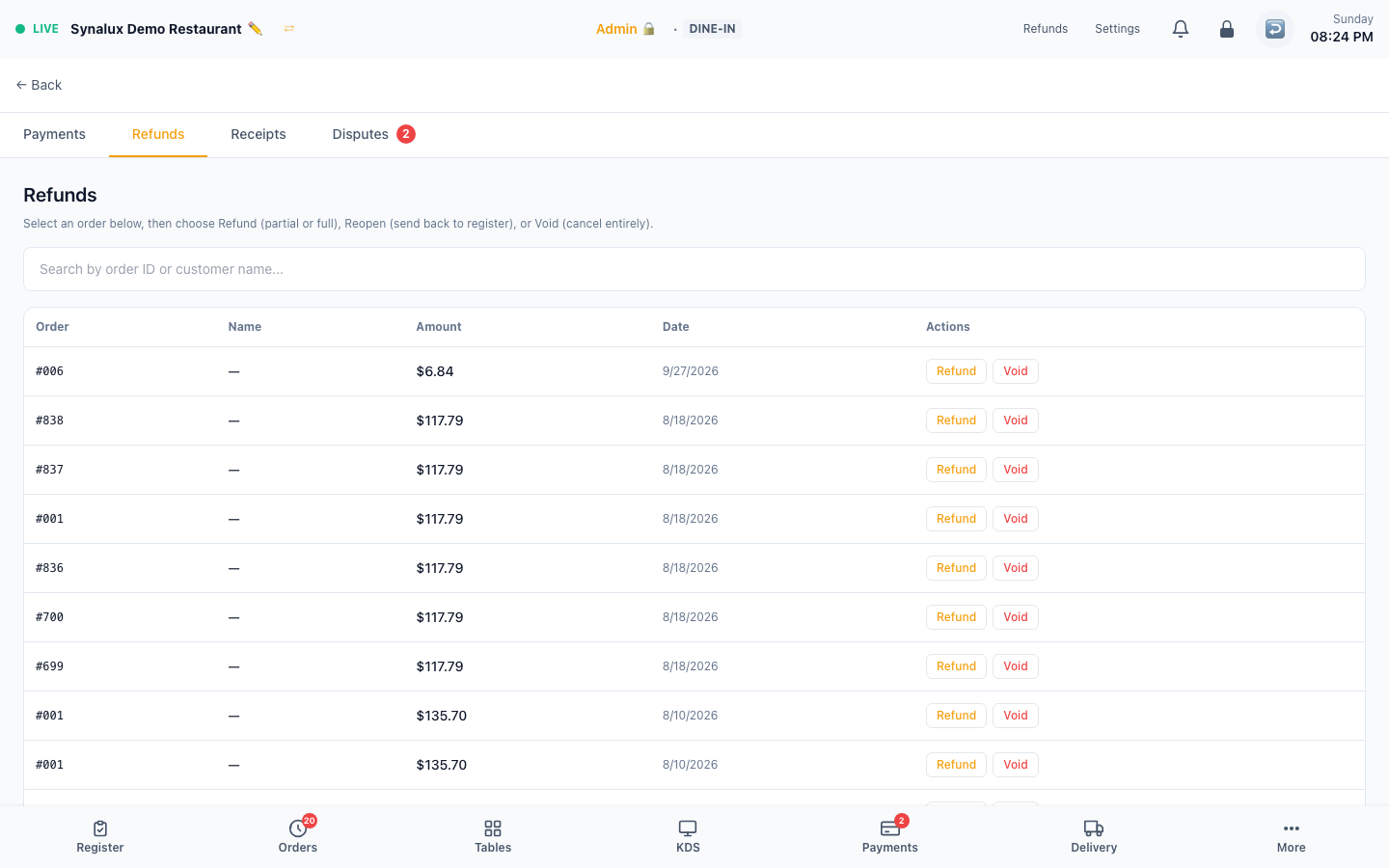
Partial or full refund with reason codes for Stripe and Dejavoo payments. Tip-aware refund ceiling prevents over-refund on tip-adjusted captures. Gift card and house account balances auto-restored on refund.
Setup
- Open the Refunds page or tap "Refund" on any completed order
- Choose partial (specific items) or full refund
- Select a reason code (wrong item, quality, customer request, etc.)
- Refund is processed via the venue's payment processor (Stripe or Dejavoo SPIn). Cash refunds are recorded for drawer reconciliation
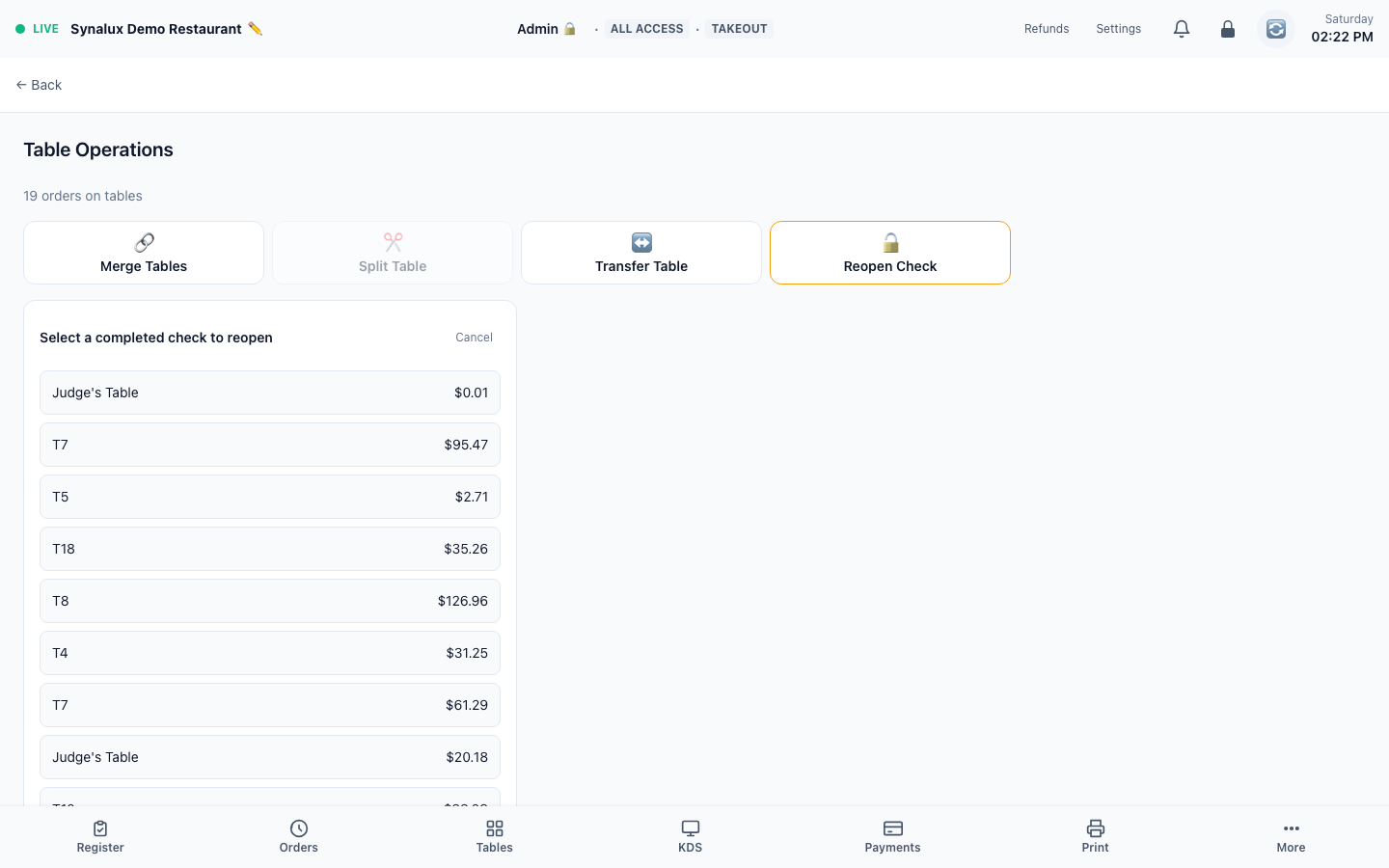
- Reopen check — managers can reopen a closed order for corrections, then re-close
House Accounts
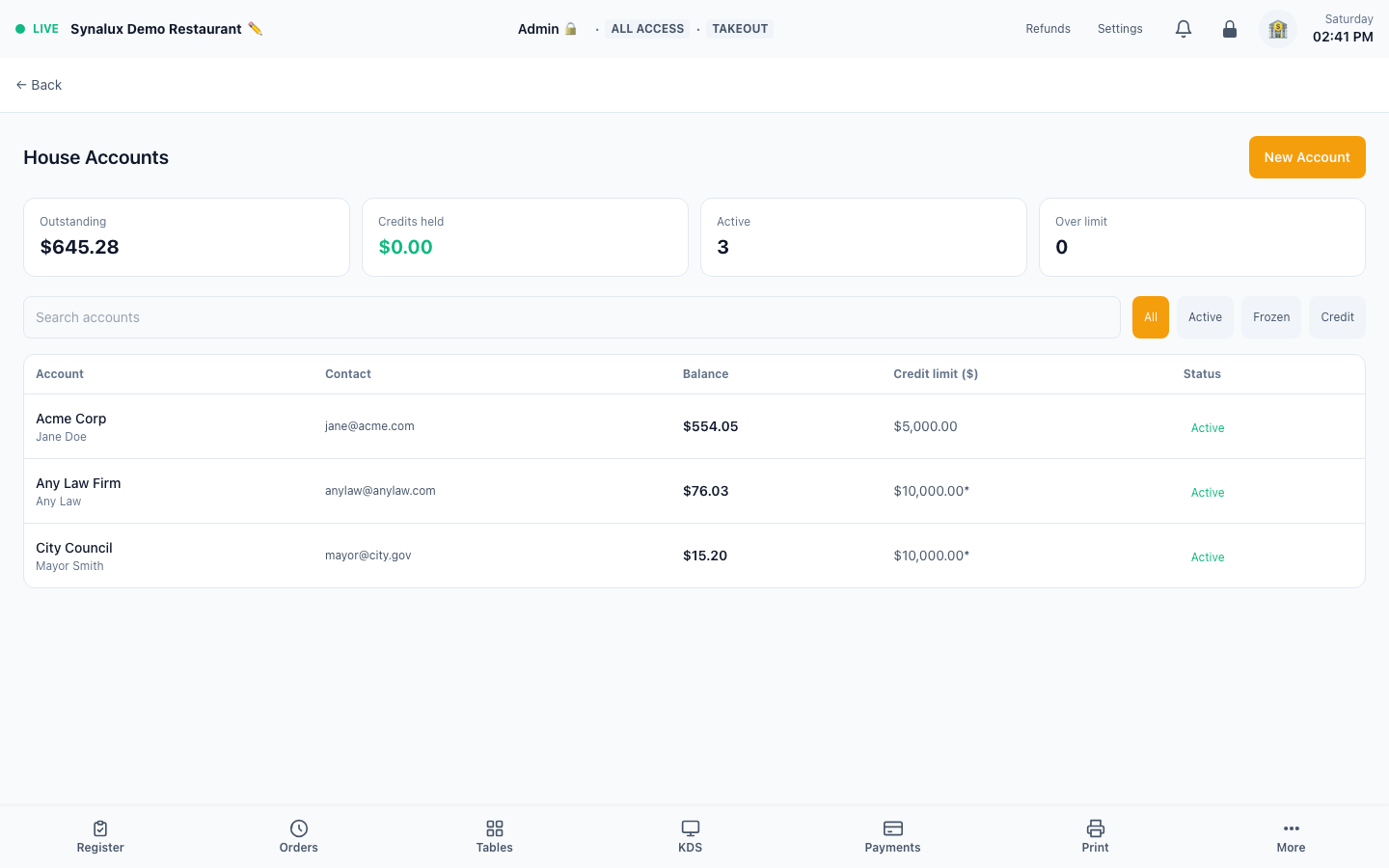
House Accounts is the customer A/R workspace for companies, schools, municipalities, regular guests, and other customers that buy now and settle later. It includes credit limits, an immutable activity ledger, customer deposits, statements, delivery history, public balance access, and payment collection.
Manager setup
- Confirm the venue has an active Enterprise subscription or trial.
- Open House Accounts from the POS navigation and select New Account.
- Enter the account name. Add a contact name, email, mobile number, and billing address when statements or payment links will be delivered.
- Set the credit limit if your role permits financial overrides. Otherwise the venue default applies.
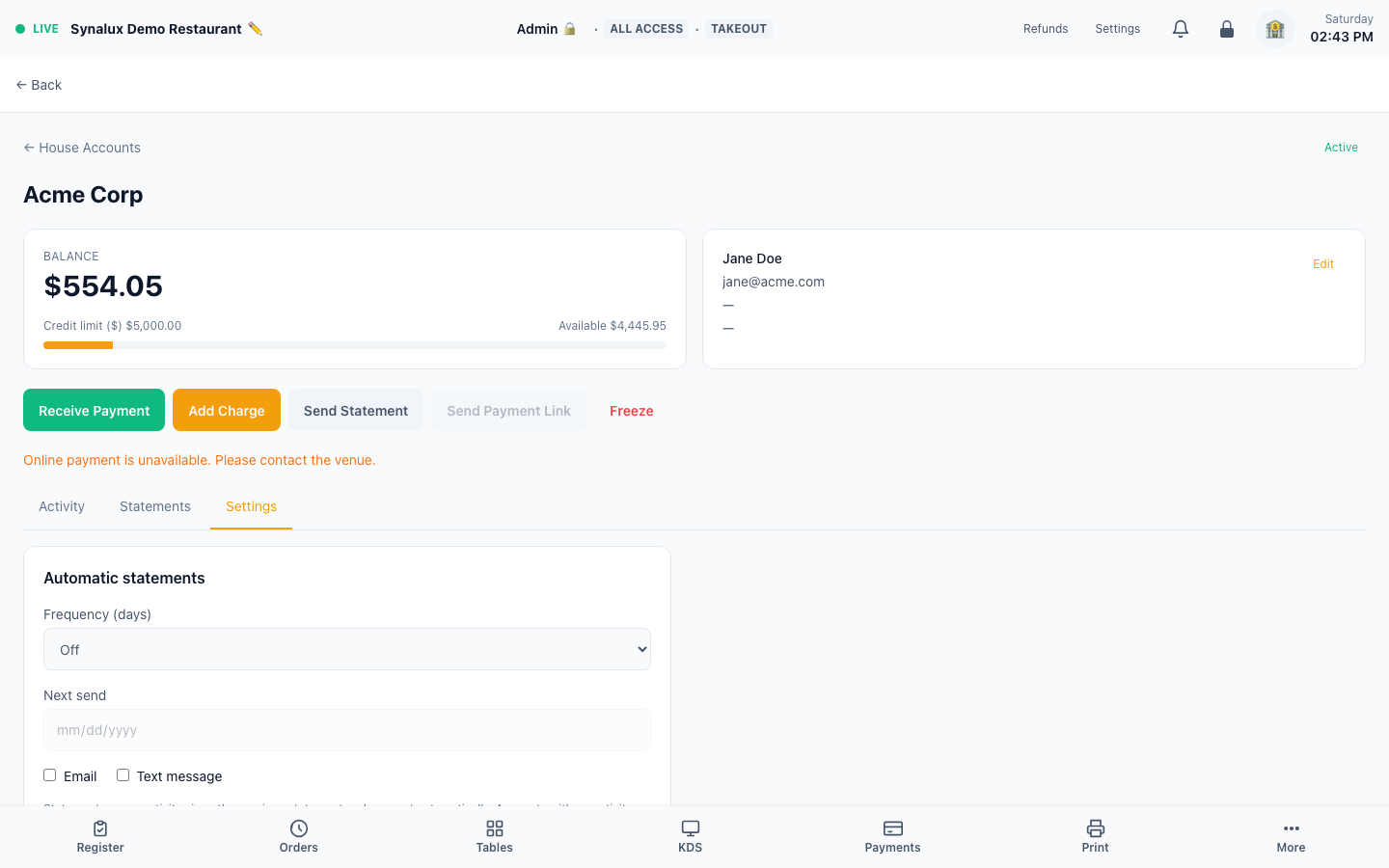
- Open the account, select Settings, and optionally configure:
- statement frequency: 7, 14, or 30 days
- next statement date
- email and/or SMS automatic delivery
- an automatic discount
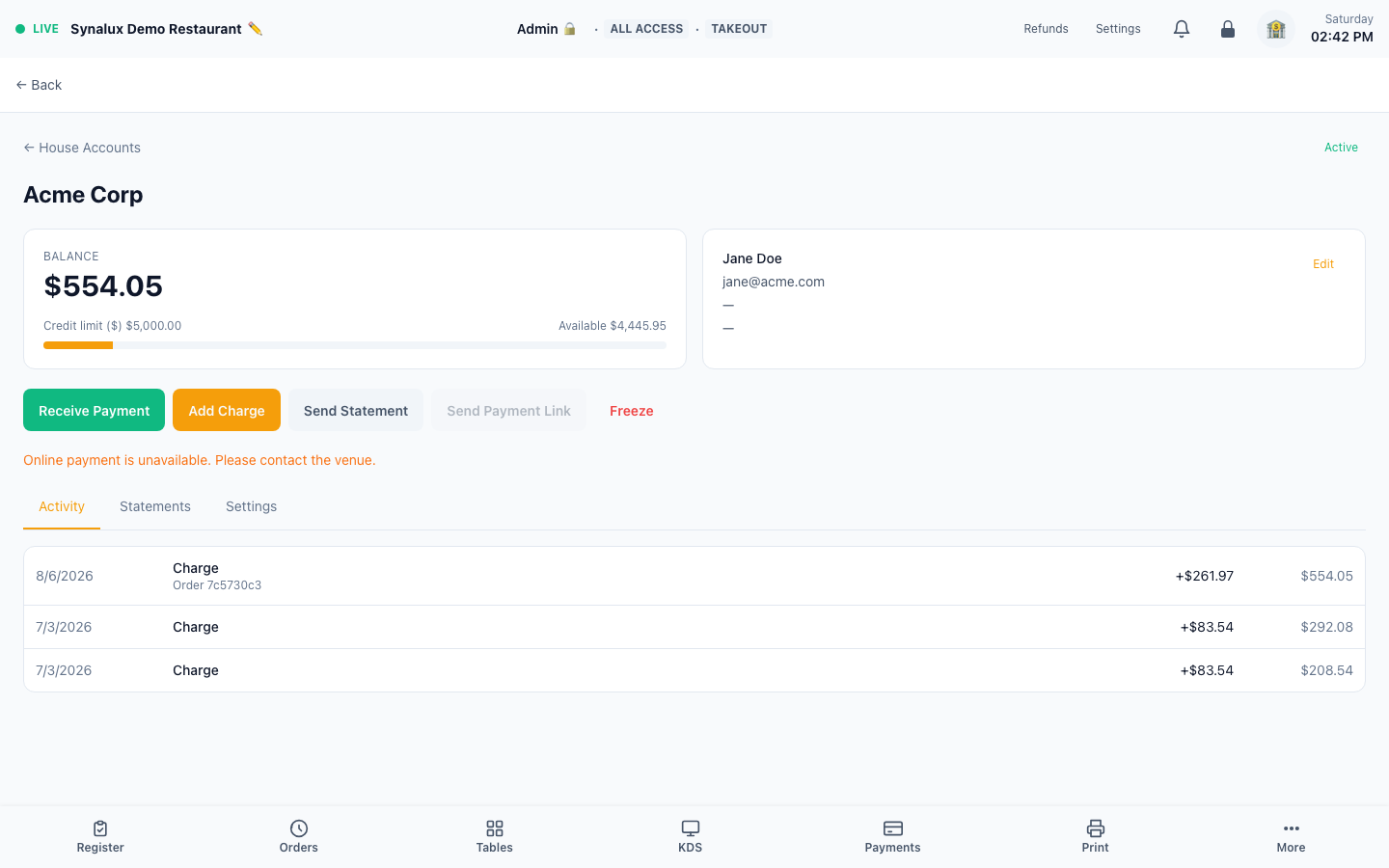
- Use Freeze instead of deleting an account. Frozen accounts keep their complete ledger and statement history and cannot accept new charges or payments until reactivated.
Managers and supervisors can manage accounts. Credit-limit changes require the same elevated permission used for payment refunds.
Charge an account
- From a sale: on the payment screen choose House Account, select the customer, review available credit, and confirm. The POS blocks charges that exceed the account limit.
- Standalone charge: open the account and select Add Charge for activity that is not tied to a POS order. Enter the amount and a useful note.
- Automatic discount: when configured in the account Settings tab, the discount is applied to eligible orders before the charge reaches the account.
Order-backed charges are posted to the general ledger by the normal end-of-day journal. Standalone account activity posts immediately, so the same receivable is never posted twice.
Receive a payment or customer deposit
Open the account and select Receive Payment, then choose the tender that was actually used:
| Tender | Workflow |
|---|---|
| Cash | An open cash drawer is required. The collection is included in drawer reconciliation. |
| Check | Record the payment and put the check number in the note. It does not change cash-drawer totals. |
| Card terminal | Complete the payment on the venue's configured Stripe or Dejavoo terminal first. Then record it against the account and enter the processor transaction or receipt reference. The configured processor is linked to the ledger entry automatically. |
| Other | Use for a verified external payment method and describe the source/reference in the note. |
If the payment exceeds the current amount due, the POS shows the resulting credit and requires confirmation before holding it as a customer deposit. Credits are available for future charges and are shown separately from A/R.
Create and send statements
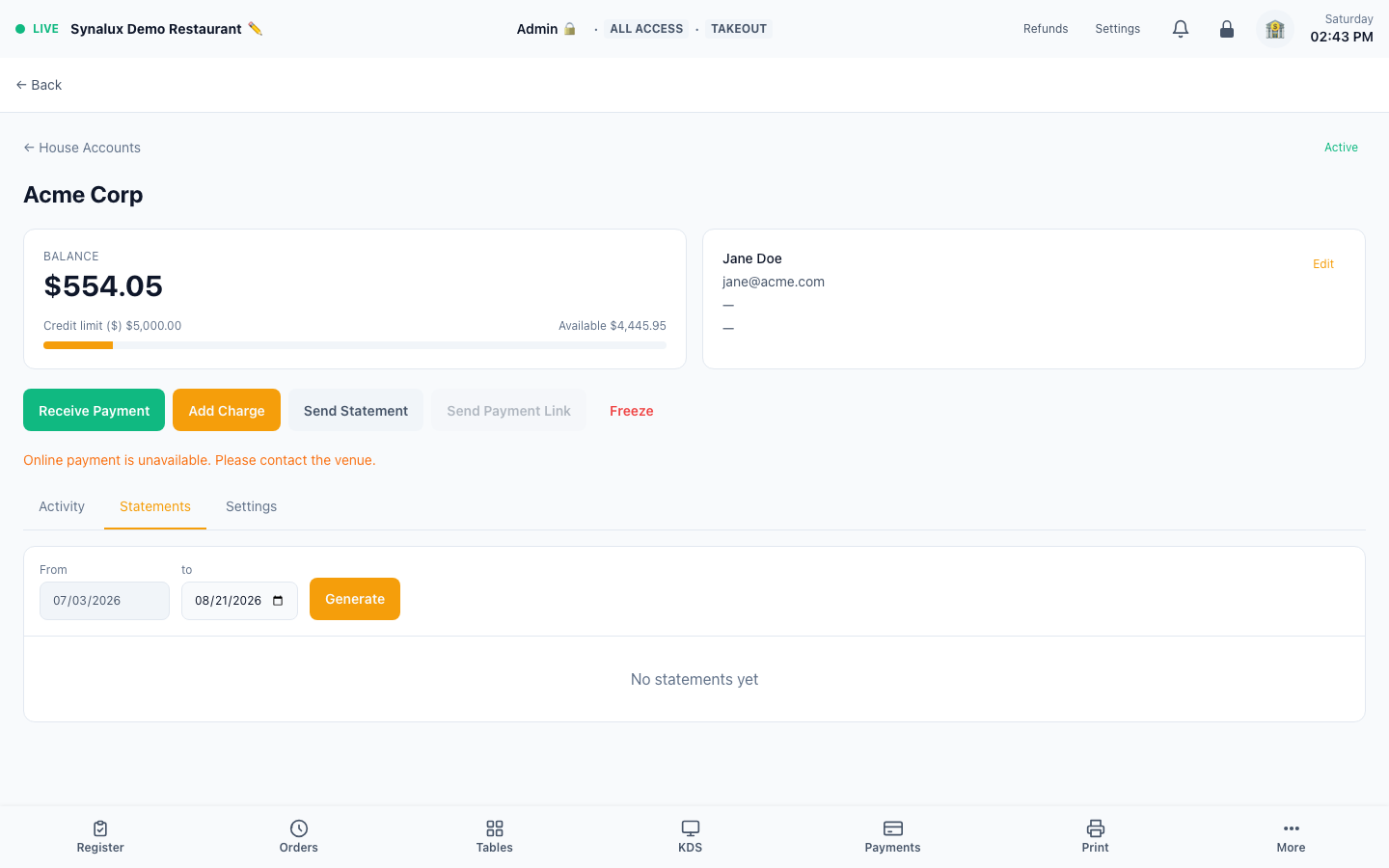
- Open the account and select Statements.
- Choose the period end. The period start is derived from the canonical ledger or the preceding statement so activity cannot be skipped.
- Select Generate, then View, Print, or Send.
- Email and SMS attempts appear in delivery history. A failed channel is visible on both the account list and account detail page.
- To correct a statement, select Void, enter a reason, and optionally regenerate the same period. Issued history is never deleted.
Automatic statements run daily and process accounts whose configured next-send date is due. The scheduled job skips empty periods and advances the next statement date safely.
The public demo currently has no issued statements, so the current screenshot shows the real period selector and an intentional empty statement history rather than a fabricated statement.
Customer balance and hosted payment links
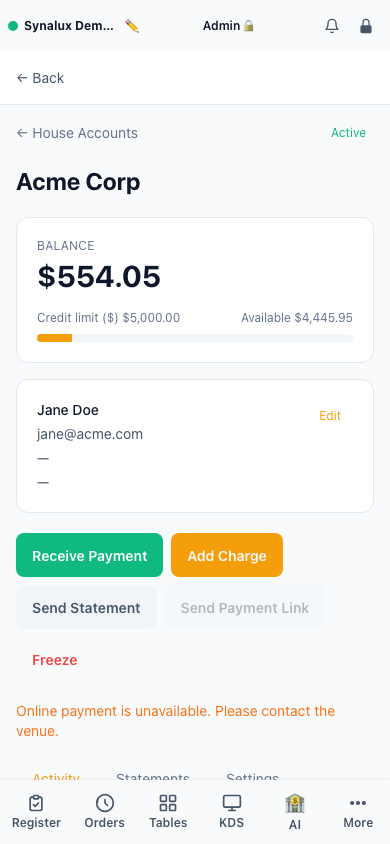
Every account can provide a secure customer page with the current balance and statement history. Replace the public access link from the account Settings tab if it was shared with the wrong recipient. The production demo currently reports online payment as unavailable, so the screenshots below document the account controls without implying that hosted payment is connected.
- Stripe: hosted balance-payment links are available after hosted House Account payments have been enabled and verified for the venue. Only one active fixed-amount link is allowed, it expires after 24 hours, and a balance change invalidates the old link.
- Dejavoo: terminal payments can be recorded against the account. Hosted House Account checkout is shown only when that processor workflow is available and verified for the venue.
Accounting behavior
House Accounts uses debit/credit control accounts rather than a second, isolated accounting system:
- a positive amount owed is House Accounts Receivable
- an overpayment or prepaid credit is Customer Deposits
- standalone charges and collections post immediately
- order-backed charges remain part of the existing end-of-day sales journal
- payments reduce A/R first; any excess credits Customer Deposits
- later charges consume Customer Deposits before increasing A/R
The posting path is idempotent and failed accounting posts are retained for retry instead of silently dropping the subledger event.
Split Check with Fractional Splits
Split a single item across multiple checks (1/2, 1/3, 1/4). Share badges show which items are shared across guests. Penny-conserving math ensures totals always balance — remainder cents go to the first split. Works alongside seat management and coursing.
Bar Tab Name Capture
When a card is swiped for a bar tab, the cardholder name is automatically captured and used as the tab name. No manual typing needed. Configure automatic naming and the as-returned, Last/First, or First Last format in Settings > Screen Builder > Bar Tabs.
Security & PCI Compliance
Synalux POS is designed to keep raw card entry inside supported processor surfaces and terminal hardware. A venue's PCI-DSS scope and SAQ are determined by its complete environment, processor/acquirer, network, devices, and operating procedures; confirm the required validation with the acquirer or a qualified PCI adviser rather than relying on this guide alone.
| Scenario | Current handling |
|---|---|
| In-person card payments | Supported Stripe Terminal or Dejavoo terminal workflows keep card capture in the configured provider/device path. Pair only approved hardware and follow that provider's network and PCI instructions |
| Keyed/manual card entry | The Stripe path uses Stripe's hosted Payment Element rather than a POS-owned raw-card form. Access remains permission-controlled |
| Online ordering checkout | Uses the configured hosted/processor checkout path. Verify the actual live storefront, authorized payment, confirmation, refund, and settlement before launch |
| Offline card handling | Synalux never stores card numbers. Online Ordering runs on Synalux's servers: it keeps accepting and charging orders while a venue's POS is offline, those orders reach the station when it reconnects, and a venue can pause Online Ordering from the Throttling page. At the register with no internet, tapping Card shows that internet is required and offers Cash or Start Tab (charge later). If the register is online but the payment terminal cannot reach its processor, a terminal configured for Store & Forward holds the transaction in the device and forwards it on reconnect; the POS records the charge and accepts it up to a configurable per-transaction floor, sending anything above the floor to Payments > Needs Review. Store & Forward acceptance is on by default for Dejavoo terminals and off for Stripe Terminal unless the venue turns it on, and it is the venue's risk to accept |
Regional data routing: Customer provisioning maps supported EU/EEA/UK/Swiss country codes to the EU project and supported North American country codes to the US project. Unknown countries are rejected rather than guessed, and the region choice is treated as permanent. Confirm country, region, and regional services before the venue begins trading.
Data privacy: Built-in CCPA and GDPR deletion workflows. Customer data purge available in Settings. Minor labor law compliance with age-gated access controls.