Adult FBA and BIP
Open Adult FBA / BIP from Assessments, or open the editor. Select Patient and, when continuing existing work, the Saved FBA/BIP record. Confirm the participant before entering content.
The section buttons organize one clinical document. Move between sections while drafting and use Save draft before leaving. Incomplete drafts can be saved.
Context
Record strengths, preferences, meaningful activities and participant priorities; communication and AAC access; health, medications, pain and sleep; consent and participation preferences; environmental access; home, day, work and community settings; previous supports; referral questions; and limitations.
Use Add target behavior to record each behavior with an observable definition and measurement information. Keep unknown facts identifiable as unknown.
Evidence
Add dated direct observations and indirect sources. For each entry, record the target behavior, source, setting, method, unit, observation time, duration, opportunities or trials, and relevant observation details.
Use Upload source PDF for a report on the device, or the linked-patient-document control for an existing file. Open the PDF after attachment. An assessment downloaded from Assessments can be uploaded here.
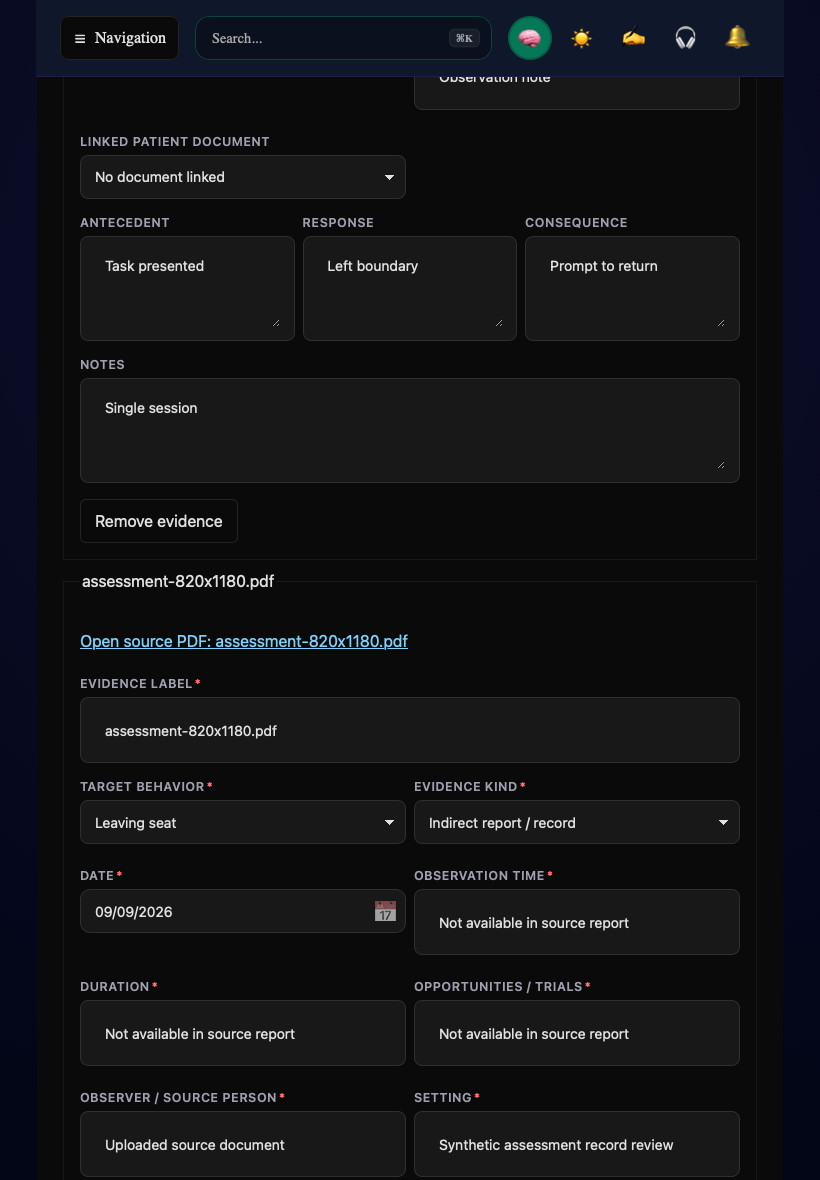
Synthetic staging example. If a source omits an observation field, state that it is unavailable and explain the limitation. Do not infer observation time or duration from the upload date.
Hypotheses
Link each function hypothesis to a target behavior and supporting evidence. Record rationale, uncertainty, and alternative explanations. Multiple functions can be recorded. Linking a document does not automatically establish the function of behavior.
Plan
Define function-linked objectives with measurable values and responsibility. Complete intervention and implementation fields, including replacement skills, prevention, teaching, response procedures, training, monitoring, and review arrangements. Individualize the plan to the documented evidence and participant priorities.
Report
Write the clinical report and enter clinician credentials and license information. Use Download PDF to inspect identity, evidence, interpretation, recommendations and limitations. Saving or downloading an incomplete draft does not make it an active plan.
Review and release
To correct an effective plan, select Start amendment in Review. The earlier version remains preserved while the amendment is prepared. If a save or read fails, keep the page open, resolve the error, and check the saved record before proceeding.
Return to the BCBA workflow guide or Patients.