Phone, WhatsApp & AI Ordering
Complete POS guide · Start a POS trial · Setup checklist
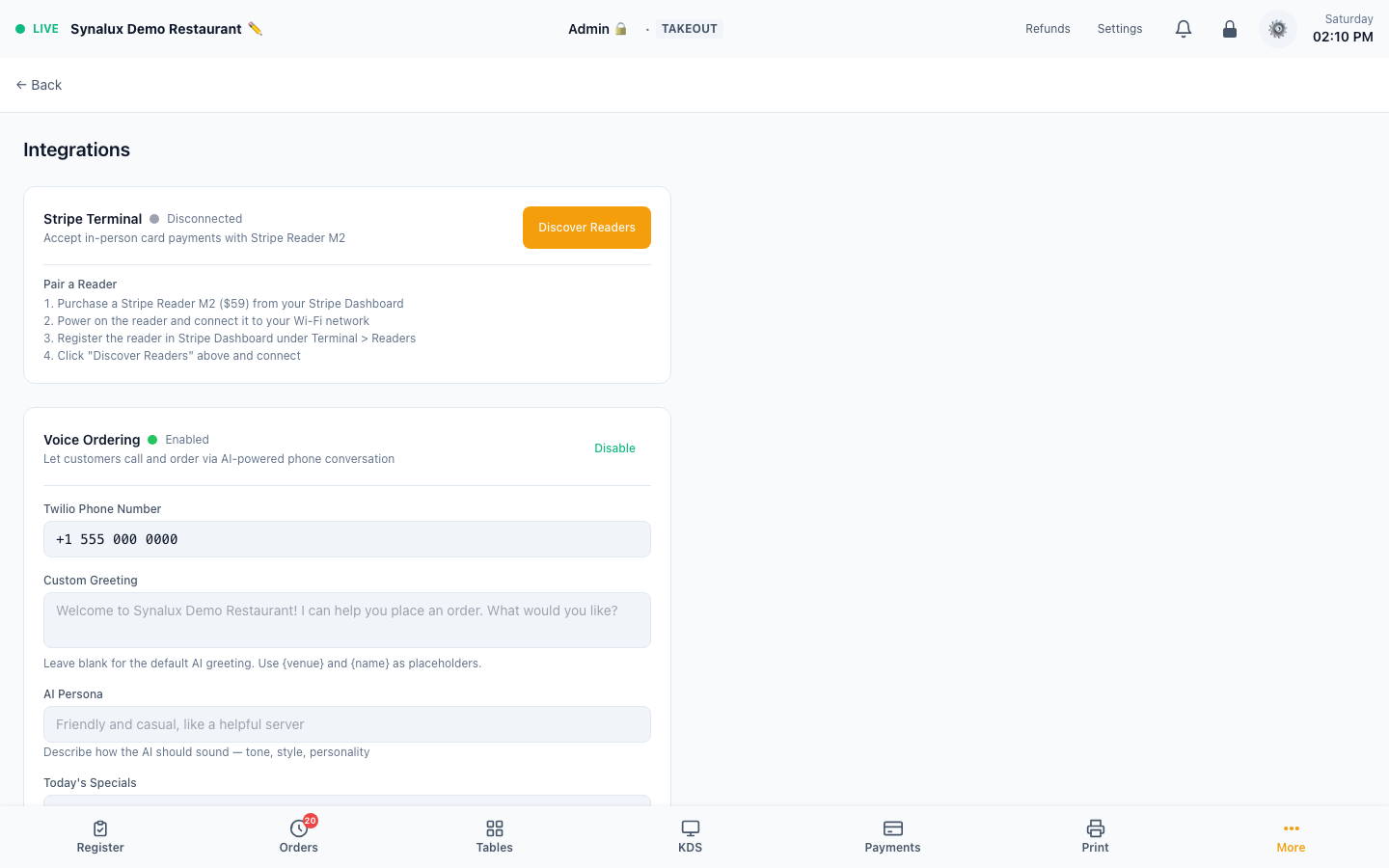
AI Voice Ordering (Phone)
Customers call your venue's configured phone number and place orders through a spoken conversation. Returning-customer context and menu-aware correction are built into the workflow; SMS notifications remain conditional on sender configuration, consent, and content restrictions.
Voice Ordering is configured from Settings > Integrations. A provider card or enabled toggle documents configuration only; it does not prove that a live phone number, payment processor, SMS sender, and kitchen path have all completed an end-to-end order.
Setup & Configuration
- Enable in Settings > Integrations > Voice Ordering
- Set your Twilio phone number in Settings > Venue
- Complete the phone-number connection with Synalux onboarding, then place a live test call that reaches the menu, payment choice, kitchen, and configured notification path
Customizable settings:
| Setting | Description |
|---|---|
| Custom Greeting | Opening message with {venue} and {name} placeholders |
| AI Persona | Tone and style — "friendly server", "professional concierge", etc. |
| Today's Specials | AI proactively suggests these when asked "what's good?" |
| Supported Languages | 16 selectable conversation languages in the current Settings UI. Automatic first-utterance recognition varies by language, so explicitly configure and test every language the venue offers |
| Fallback Number | Transfer to human after repeated AI failures |
How a call works
- Customer calls venue phone number
- The assistant starts in the venue or returning caller's configured language. For a first-time caller, automatic language recognition can switch before the first cart item when the deployed phone service recognizes the language; the language is then locked for that order.
- The configured phone service carries speech and responses between the caller and the ordering workflow.
- Returning customers auto-recognized by phone — AI greets by name, knows past orders.
- Input checks reject empty, repeated, filler-only, or malformed input before the order assistant acts; this reduces noise-related turns but does not guarantee that every noisy utterance will be classified correctly.
- The order assistant uses the recognized request and current cart to return the next response or cart action.
- AI adds items immediately, confirms with price: "Added a Classic Burger for twelve dollars. What else?"
- Phonetic correction: garbled phone audio auto-matched to menu items
- "Change burger to family pack" → removes old + adds new in one turn
- "Repeat my order" → AI reads back all items with prices
- "That's all" → asks for customer name → reads back order with total
- "Yes" → order created → KDS kitchen ticket → SMS confirmation
- Authorized managers can review the completed call and order activity in reporting
Customer commands:
| Say | What happens |
|---|---|
| Any menu item name | Added immediately with price confirmation |
| "Change X to Y" | Removes X, adds Y |
| "Remove the fries" | Item removed |
| "What do you have?" | Top items listed |
| "Repeat my order" | Current order read back with prices |
| "My usual" | Adds items from last order (returning customers) |
| "Put me on the waitlist" | Asks for party size and adds customer to venue waitlist |
| "How long is the wait?" | Reads back current waitlist estimate |
| "That's all" / "Done" | Starts confirmation flow |
| "Yes" / "Confirm" | Places order |
| "No" / "Wait" | Returns to ordering |
Language support: The current integration screen lets the venue select English, Spanish, French, Chinese, Russian, Arabic, Portuguese, German, Italian, Japanese, Korean, Vietnamese, Hindi, Ukrainian, Romanian, and Bulgarian. A returning caller can start with the stored supported language. Automatic first-utterance recognition is more limited than the settings list, so configure and test each offered language rather than advertising every selected language as automatically detected.
The order language locks after the first cart item so a menu name or noisy utterance cannot silently change the language mid-order. Test every enabled language with the venue's actual phone number before launch; configuration is not proof that the provider accepted a specific accent, device, or call path.
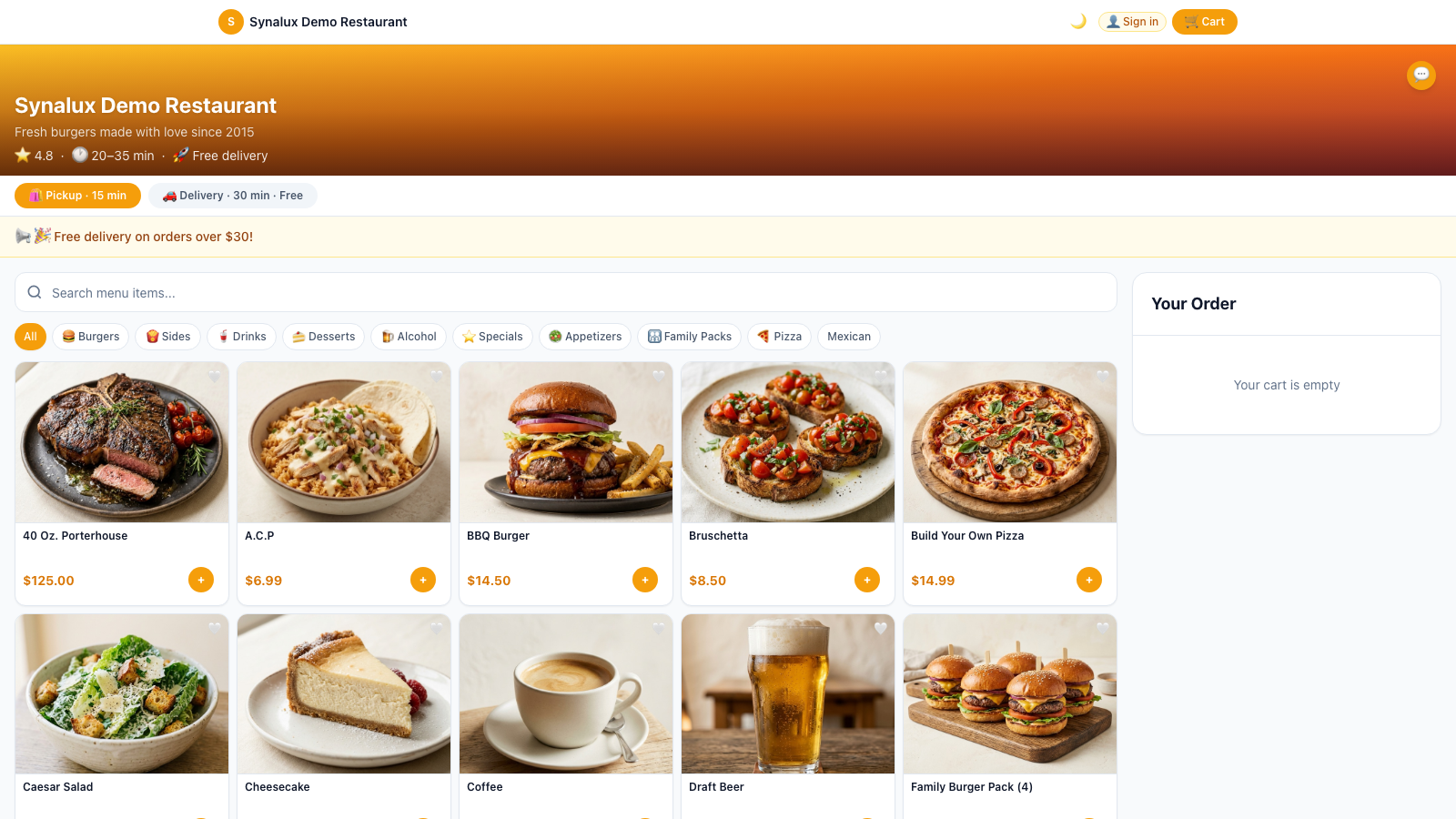
Online ordering is also available at the same time:
Go-live checklist
- Confirm the venue phone number, supported languages, greeting, fallback number, and operating hours
- Place test calls for a new customer and a recognized returning customer
- Verify menu pricing, modifiers, substitutions, order read-back, kitchen routing, and payment handling
- Verify any configured SMS notification with the venue's approved sender and customer consent flow
- Confirm that repeated low-confidence input transfers to the configured human line
WhatsApp Ordering
WhatsApp uses the same menu, cart validation, pricing, and order-placement rules as the other ordering channels, with channel-specific language and delivery behavior. Customers can send text or a voice note, receive the cart in the thread, and confirm the order without installing a separate restaurant app.
How it works
- Customer texts or sends a voice message to the venue on WhatsApp
- The order assistant responds using the same menu, pricing, and cart rules used by the voice workflow
- The initial reply language comes from supported text/script detection, the mapped caller locale, or the venue locale. Voice notes use the configured transcription service; do not advertise an untested language as automatically detected
- Add items naturally: "I want a burger and fries" or "я хочу бургер и картошку"
- Cart displayed after each message:
🛒 Your cart: 1x Classic Burger 1x Fries Say "done" when ready to order. - "done" → asks for name → confirms order → "YES" → order placed
- Confirmation with order number, total, and estimated pickup time
- When the configured processor returns a checkout URL, the payment link is sent in the WhatsApp thread; otherwise the order falls back to the configured pay-at-pickup message
- The order confirmation is delivered in the WhatsApp conversation through Twilio's WhatsApp sender, not as a separate SMS
- A confirmation email is attempted only when the recognized loyalty member has an email address and the venue has email delivery enabled
- Returning customers recognized by phone — favorites and past orders recalled
Commands:
| Text | What happens |
|---|---|
| Any menu item | Added to cart with price |
| "Change X to Y" | Swap items |
| "Remove fries" | Item removed |
| "My usual" | Last order re-added |
| "Done" | Starts confirmation |
| "YES" | Places order → KDS ticket |
| Voice message (mic button) | Transcribed by the configured speech service, then processed as text |
Language support:
| Input | Languages |
|---|---|
| Text messages | Venue locale plus the route's currently recognized script/caller-locale mappings; a successful reply does not prove automatic language recognition for every future message |
| Voice messages | The deployed speech configuration; validate each language before launch |
| AI responses | Requested session locale when it can be determined; unsupported or ambiguous input falls back to the venue language |
Venue assignment: The inbound WhatsApp number must be assigned to the venue. Unassigned numbers are rejected rather than guessed from a country code or routed to another venue.
Setup:
- Register and approve the venue's WhatsApp Business sender
- Complete the WhatsApp connection with Synalux onboarding
- In Settings > Integrations, confirm the number assigned to the venue
- Send a real text and voice-note order, confirm the kitchen ticket, payment choice, and customer reply before publishing the number
AI Chat Assistant
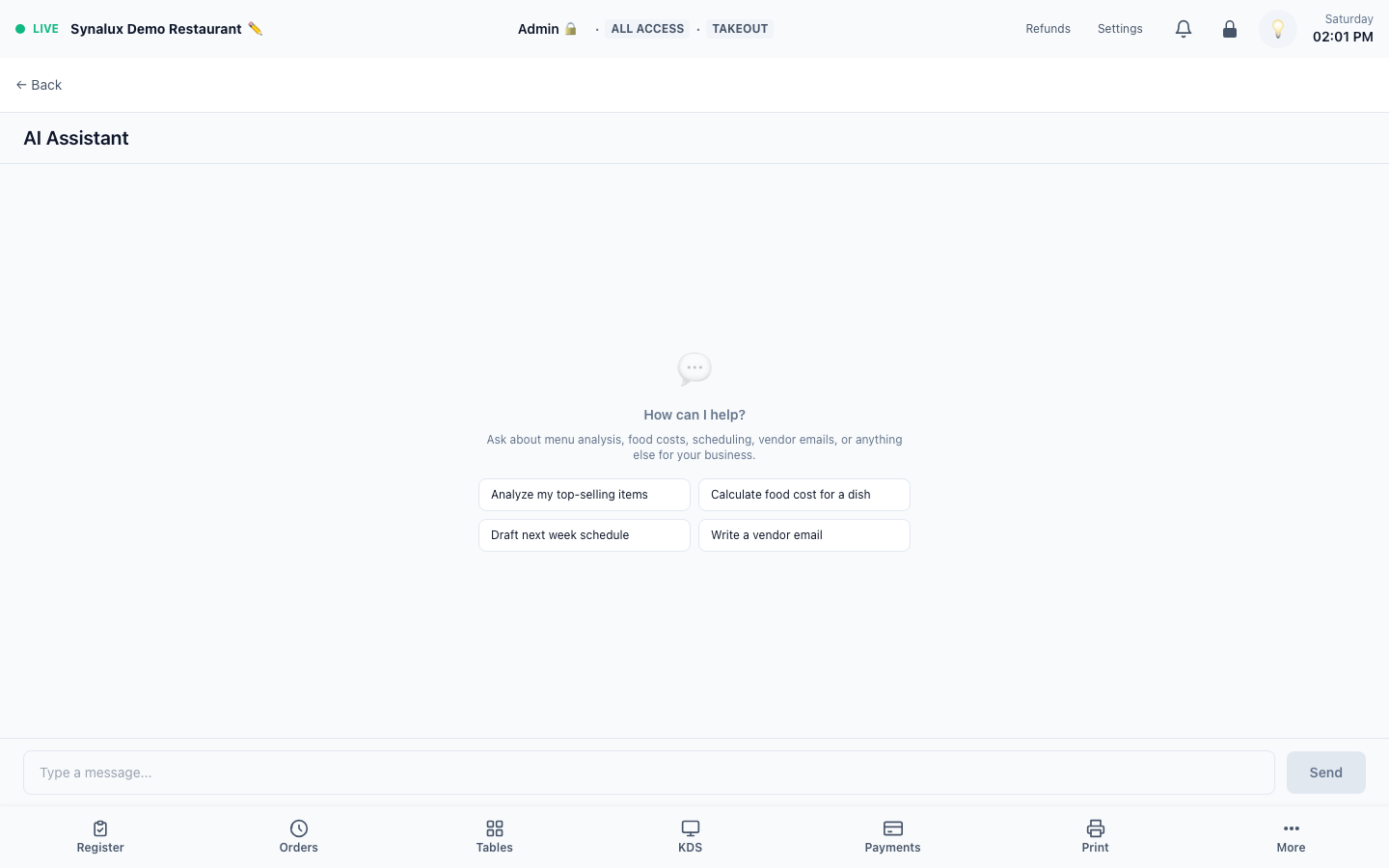
Context-aware AI assistant across staff POS workflows and the online-ordering experience. It uses the current route to load relevant page context, supports voice input, quick prompts, and Prism memory, and can take real actions where that screen exposes a tool. Actions are module-isolated (a tool runs only in its own workflow) and role-gated (only staff with the required permission can run it). Dedicated display surfaces and screens without an action tool remain read-only or omit the launcher.
How it works
POS Staff Chat — appears on supported operational pages, loads the context exposed for that screen, and beyond answering questions can perform the action for you when that module exposes a tool (it confirms first, then calls an audited, tenant-scoped tool):
- Register / Handheld / Drive-Thru / Tabs — add item, apply discount, void item, split check, send payment link, open drawer; "Find order with 3 cokes"
- KDS / Coursing / Expo — bump or recall tickets, check allergens; "What's the oldest ticket?"
- Tables / Table Ops — availability, merge / split / transfer, reopen check
- Reservations — book a reservation, add a walk-in to the waitlist, seat / cancel / mark no-show
- Loyalty — look up a member, enroll a new member
- Gift Cards — check balance, reload, redeem against an order
- Staff — clock a staff member out
- Messaging — post to a staff channel; Calendar — schedule an event
- Reports / Dashboards — sales summary (revenue, orders, average ticket, tax, tips, discounts)
- Payroll / HR / Multi-Location — aggregate labor-hours and labor-cost summary
- Accounting — chart-of-accounts summary; Allergens — allergen-coverage audit; Compliance — RBS certs, incidents, data-deletion deadlines; Documents — search the file drive; Marketing — campaign performance; Feedback — NPS + ratings; House Accounts / Vendors / Payments / Refunds / Scheduled orders — read-only summaries
- Screen Builder — toggle receipt display options
Money- and compliance-sensitive actions (payroll ACH, tax changes, journal postings, loyalty point grants, issuing refunds, sending marketing) are deliberately read-only in chat — the assistant surfaces the data and points you to the on-screen control to execute them.
OO Customer Chat — customers ask "Make me a half pepperoni half mushroom pizza" and the AI builds the order with correct modifiers and pricing:
- Voice input (microphone) + voice output (speaker) with adjustable speed/pitch/gender
- 14 languages with locale picker
- Returning customer greeting via cookie
- Confirmed AI actions can add or remove items, filter the menu, and suggest a combo