Accounting, GL, Banking & End of Day
Complete POS guide · Start a POS trial · Setup checklist
Accounting & Ledger
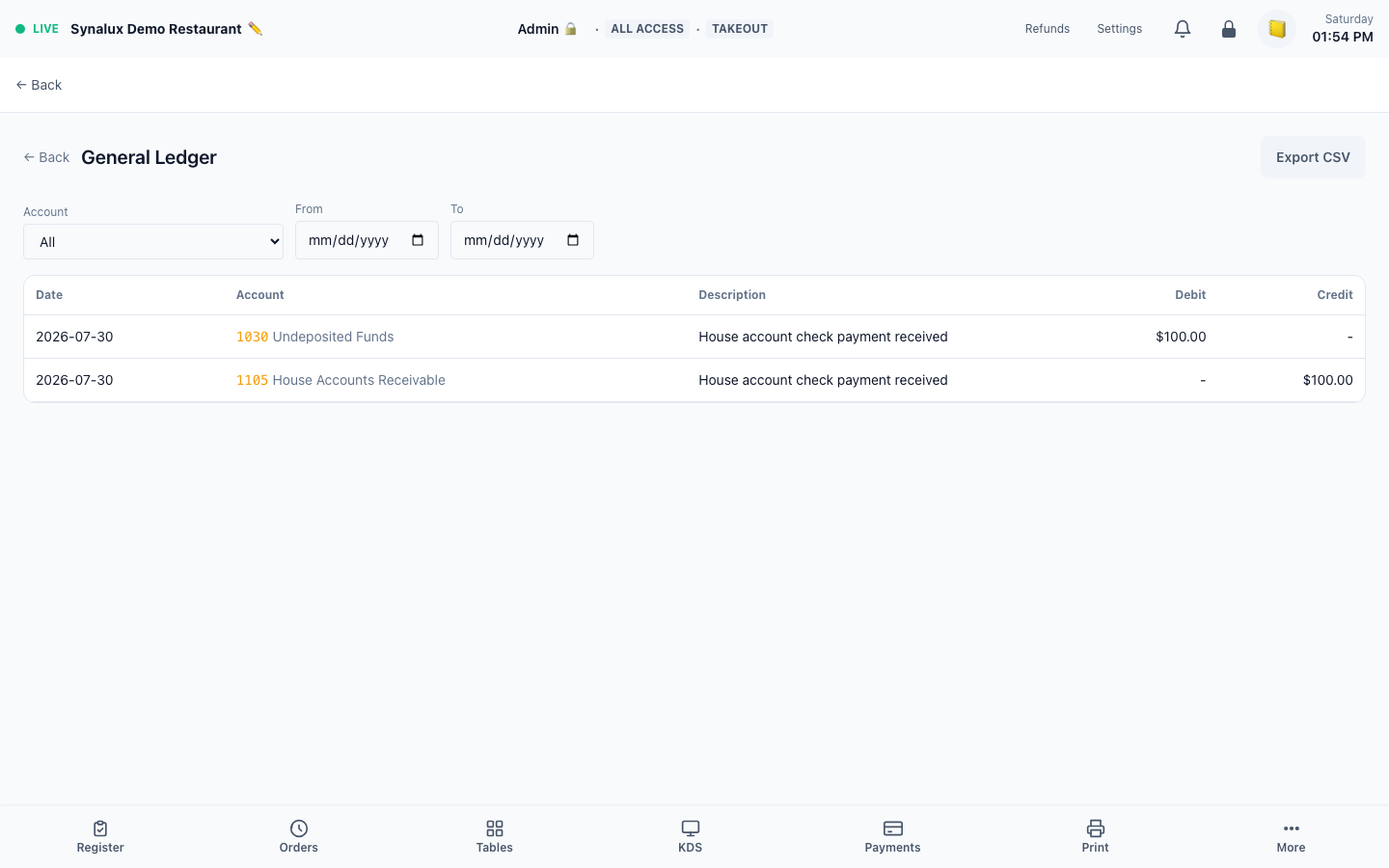
Journal entries, general ledger, and connected banking are available in the POS accounting workspace, with Accounting | Ledger | Banking tabs at the top of each page. End-of-day activity is recorded in Synalux accounting; a connected QuickBooks or Xero card is not by itself proof that an external journal export completed.
Setup
- Open
/pos/accountingfor the main accounting dashboard /pos/accounting/ledgerfor journal entries and GL/pos/accounting/bankingfor bank feed integration- Connect QuickBooks or Xero in Settings > Integrations when the venue uses that provider, then run an end-to-end export and reconciliation test before relying on it for close. A connected status alone does not prove that an external end-of-day journal was delivered and reconciled
Banking is documented without a screenshot until a bank connection is present; the disconnected setup state is not used as an example.
End of Day
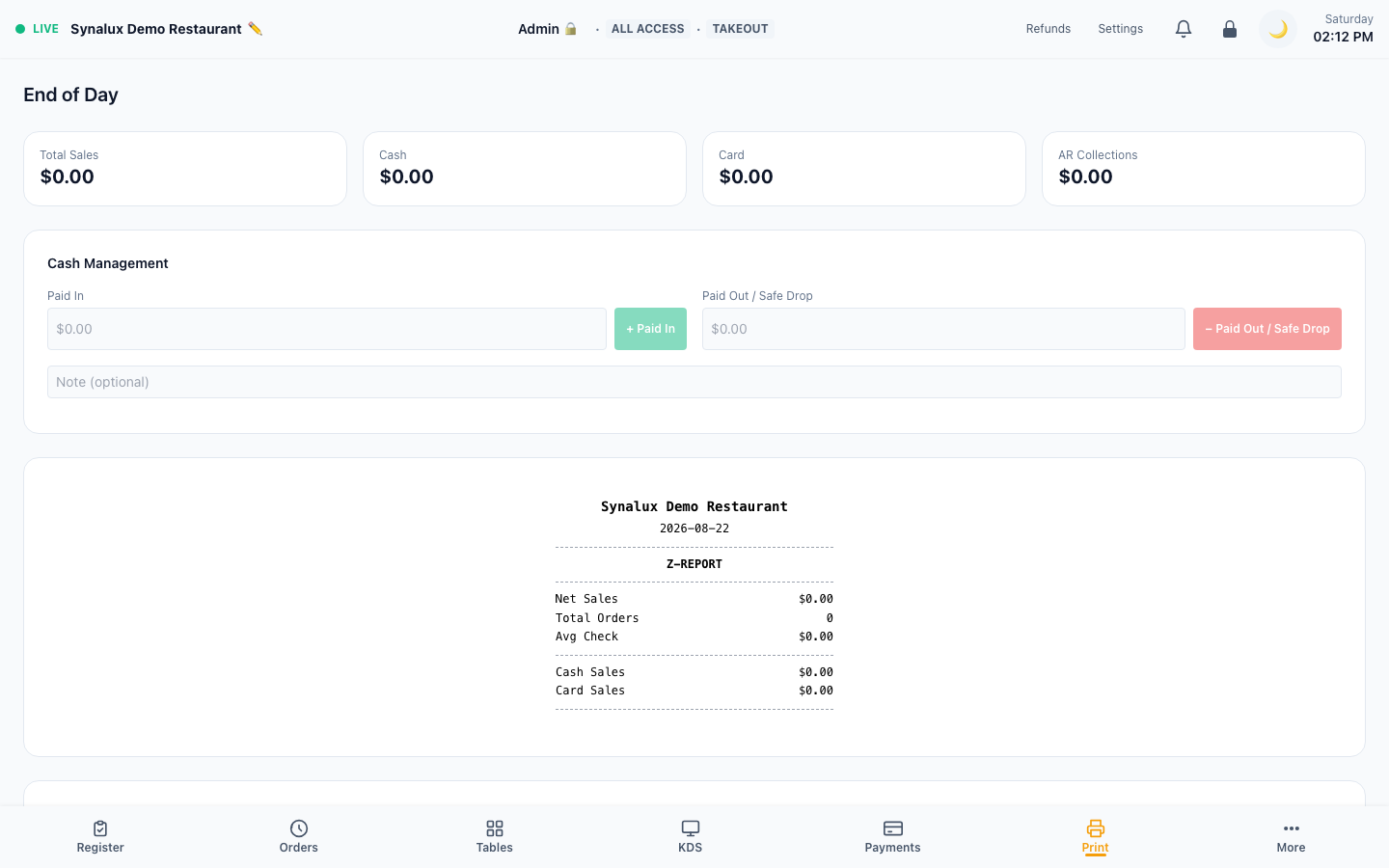
Count cash (with optional blind close), distribute tip pool, export GL journal, print Z-Report, close register.
The current demo screenshot shows the End of Day cash-management inputs and Z-report preview. Its zero-value day is an intentional current state, not a completed-close claim.
Setup
- Enter the closing count by denomination — the counted total, expected amount, and over/short are shown as you count
- Blind drawer count — enable Blind Close in Settings > Venue to hide the expected amount and over/short while counting, so the count is unbiased. A manager can reveal the figures after the count is entered; the variance is still recorded
- Tip pool distribution, GL journal export, and Z-Report print
- Closing the register records the over/short for reconciliation
Multi-Location & Franchise
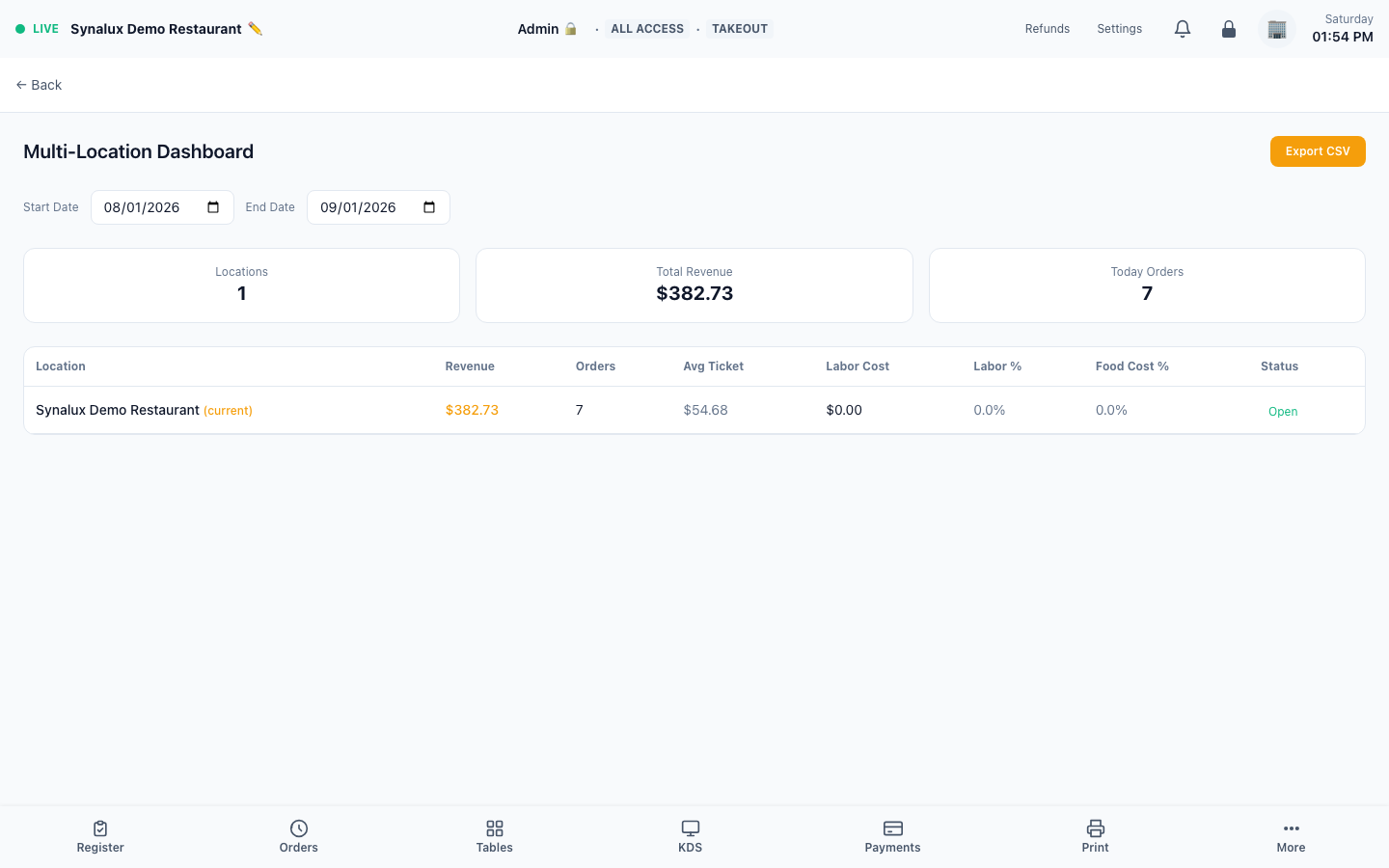
Per-venue KPIs, consolidated P&L, config push, and franchise reporting. Month-to-date comparison across all locations with revenue, COGS, labor, and net profit side-by-side.
Setup
- Create additional venues under the same workspace in Settings > Multi-Location
- Push menu, tax, and discount configs from a template venue to all locations
- View consolidated P&L, sales, and labor reports across all venues
- Franchise reporting with per-location royalty calculations
- Month-to-date comparison — revenue, COGS, labor, net profit per venue side-by-side
- CSV export — download consolidated P&L for accountant handoff