Back Office Suite
Complete POS guide · Start a POS trial · Setup checklist
Back Office Suite
Common back-office workflows are reachable from the POS shell, so staff do not need to leave the application navigation. Accounting, payroll, forms, messaging, and POS reports use venue-scoped data; mail, documents, calendar, banking, and other provider-backed functions still require the corresponding connected Synalux Back Office account or external provider.
The /pos/backoffice/* paths are the canonical routes and keep the back-office sidebar visible. Legacy standalone paths such as /pos/documents, /pos/mail, /pos/calendar, /pos/dashboards, /pos/forms, and /pos/payroll redirect into that shell.
| Module | What it does | Route |
|---|---|---|
| Accounting & GL | Double-entry ledger, journal entries, P&L, balance sheet. EOD auto-posts to GL | /pos/accounting |
| Bank Feed | View connected banking accounts and transactions through the Synalux Back Office banking connection; current POS proxy routes support the configured Plaid or Mercury workflow | /pos/accounting/banking |
| Payroll | Pay-period review, payroll drafts, history, and exports | /pos/backoffice/payroll |
| Documents | Connected cloud file storage, folders, uploads, and sharing | /pos/backoffice/documents |
| Connected mailbox, compose/reply, templates, and vendor auto-tagging | /pos/backoffice/mail |
|
| Calendar | Connected calendar events, reservations, catering, and staff meetings | /pos/backoffice/calendar |
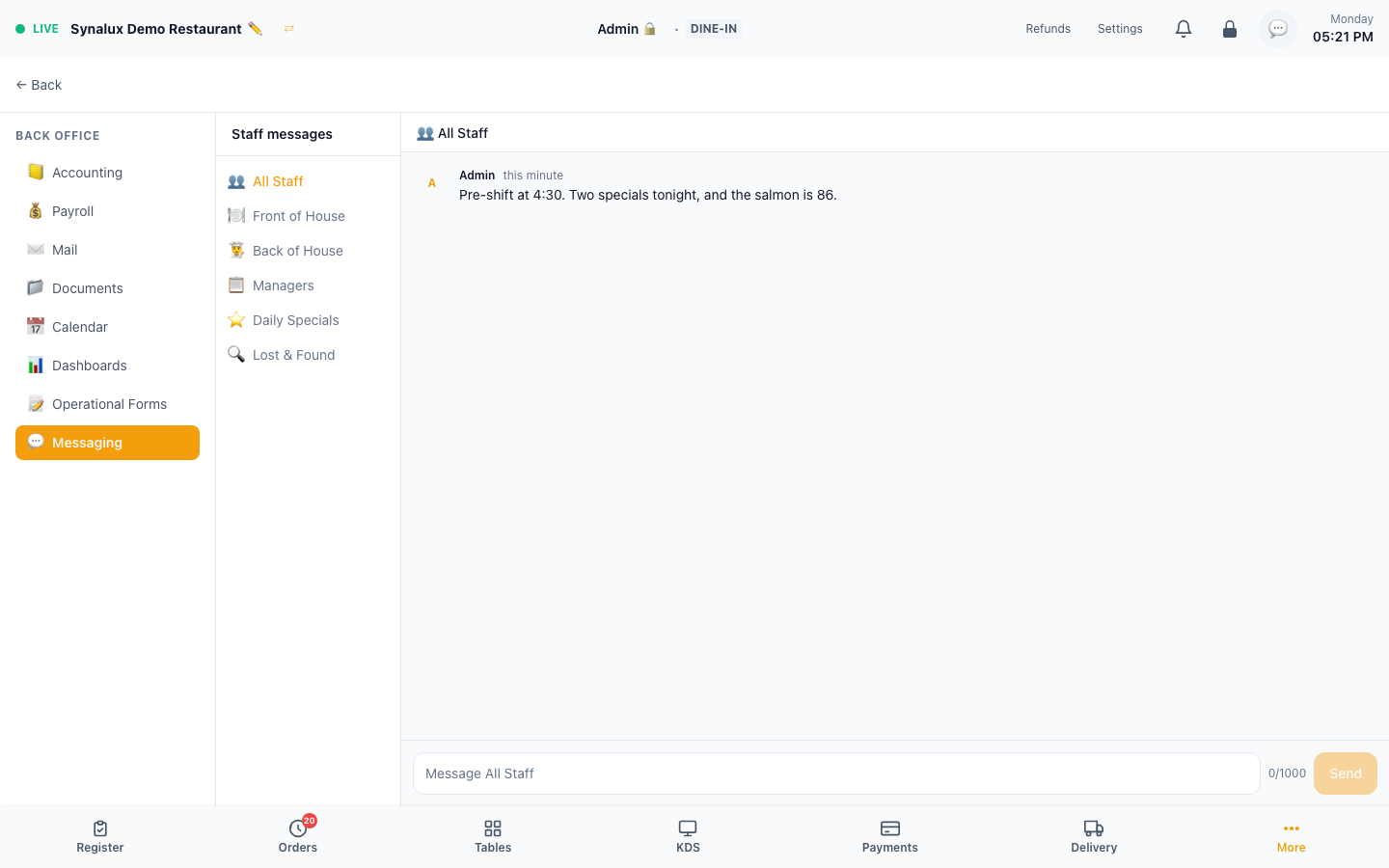
| Staff Messages | Six venue channels: All Staff, Front of House, Back of House, Managers, Daily Specials, and Lost & Found. Messages appear in real time and are signed by the staff member who is signed in. The Managers channel is shown only to managers and admins. The same screen is also listed under Settings > Tools | /pos/backoffice/messaging |
| AI Assistant | Context-aware AI with live POS data | /pos/assistant |
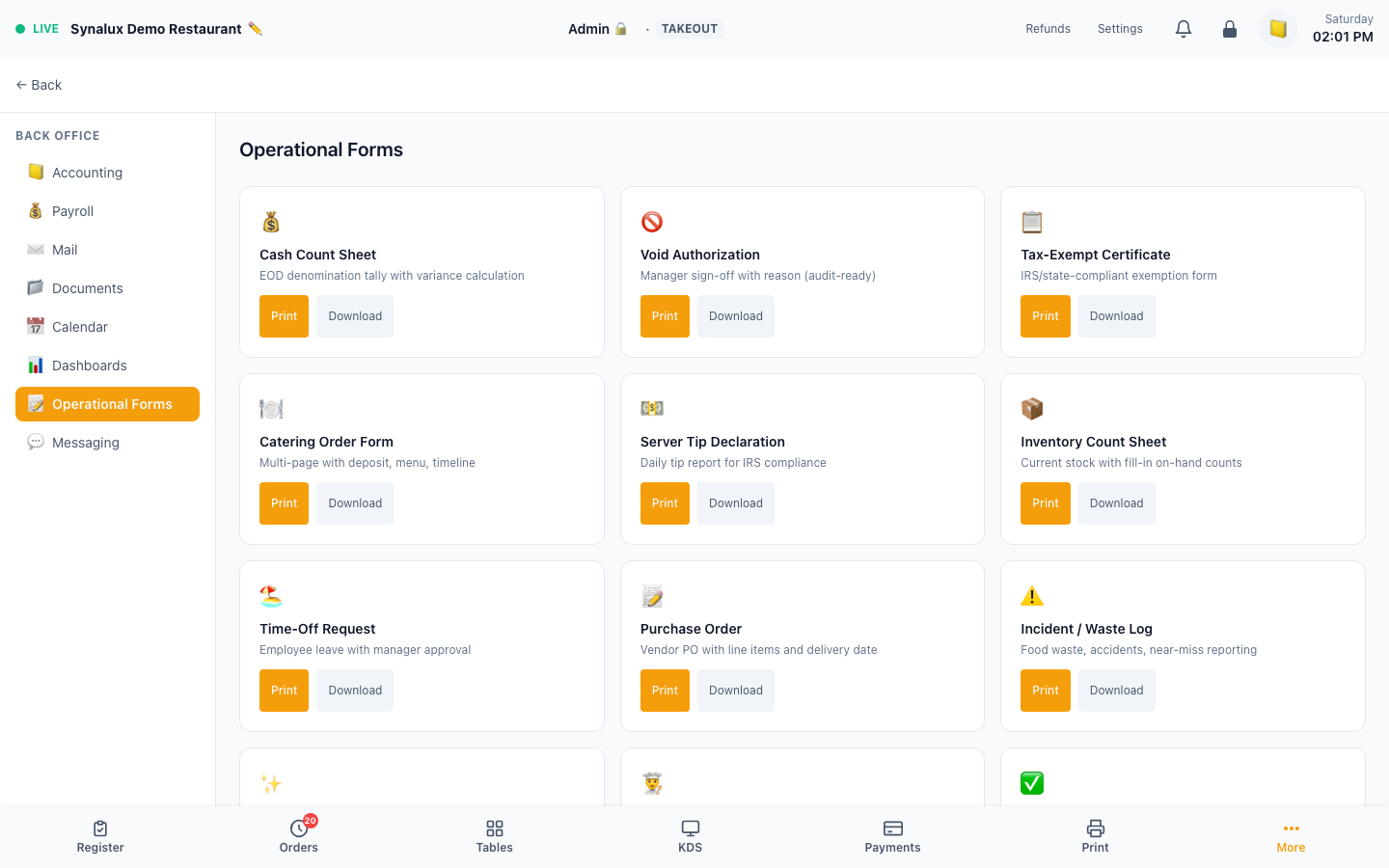
| Operational Forms | 12 ready-to-print/download restaurant forms | /pos/backoffice/forms |
| Custom Form Builder | Custom templates and searchable submissions with 10 field types | /pos/form-builder |
| Dashboards | Drag-and-drop widget builder with auto-refresh | /pos/backoffice/dashboards |
Documents
Documents uses the portal-connected cloud drive. Connect the appropriate provider/account before expecting files; without that authorization the page presents a connection requirement rather than a local standalone drive.
Full inbox for your restaurant — connected to Gmail or Outlook. Compose, reply, templates (vendor orders, catering quotes, EOD summary). Vendor emails auto-tagged with vendor name badge when sender matches your vendor records.
Mail is provider-backed and requires portal authentication plus a connected mailbox. It does not fall back to a separate local inbox.
Calendar
Connected calendar events, reservations, catering events, staff meetings, and delivery schedules appear in one view. A provider connection is required; the production demo connection prompt is not used as a feature screenshot.
Staff Messaging
Slack-like internal messaging — no Slack account needed. 6 pre-configured channels:
| Channel | Purpose |
|---|---|
| All Staff | Broadcast to everyone |
| Front of House | Servers, hosts, bartenders |
| Back of House | Kitchen, prep, expo |
| Managers | Managers and admin only |
| Daily Specials | Push 86'd items, daily features |
| Lost & Found | Customer lost items |
Messages update live within venue-scoped channels. The current POS messaging screens are channel-based; this guide does not promise direct-message UI or a fixed delivery-latency SLA.
Dashboards
Drag-and-drop widget builder with metric cards, charts, and tables. Preset templates for Owner, Manager, and Kitchen views. Auto-refresh every 30 seconds.
The dashboard builder is documented without a screenshot when the venue has no saved dashboard widgets.
Operational Forms vs. Custom Form Builder
These are separate workflows:
/pos/backoffice/formscontains the 12 built-in restaurant forms. Staff choose a form and print or download a prefilled document; it is not an empty template library./pos/form-buildercreates custom templates, collects submissions, and provides searchable history. It supports 10 field types: Text, Email, Telephone, Number, Date, Select, Radio, Textarea, Checkbox, and Signature.
Use Operational Forms for standard restaurant paperwork and Custom Form Builder when the venue needs its own form structure.
Operational Forms
Cash Count, Void Auth, Tax-Exempt Cert, Catering BEO, Tip Declaration, Inventory Count, Time-Off, Purchase Order, Incident Log, Daily Specials, Prep List, Server Checkout.
Setup
- Open
/pos/backoffice/formsto access all 12 pre-built operational forms (/pos/formsredirects there) - Forms auto-fill venue name, date, and staff info from the current session
- Open a form, then print or download it; use
/pos/form-builderonly for custom templates and submissions