📅 Calendar
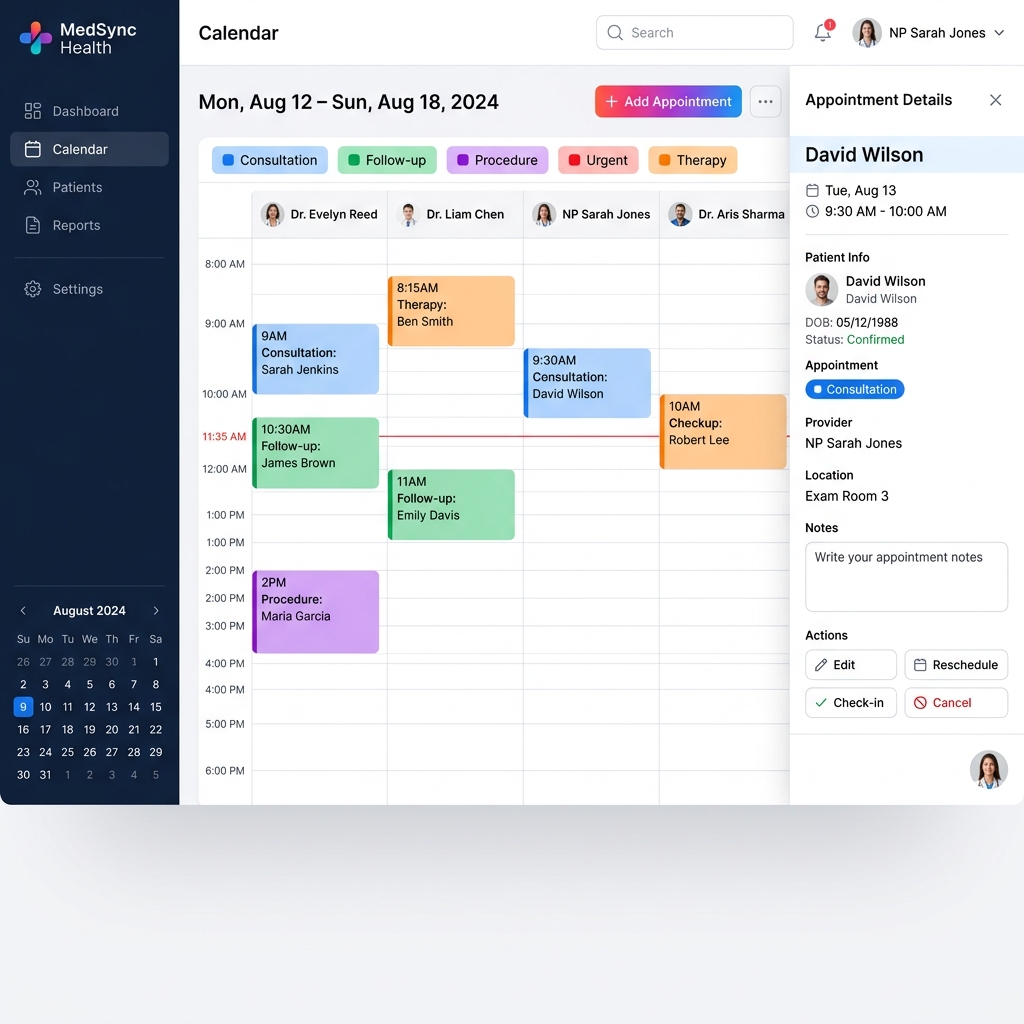
Google Calendar + Microsoft Outlook in one view. Schedule appointments with Google Meet, Microsoft Teams, or Zoom in one click — never bounces you out to another tab. Lives at synalux.ai/calendar.
🌐 Multi-Provider Aggregation
Connect Google + Microsoft accounts; events from all calendars render in a single weekly view. The provider routing is invisible to the user — pick a slot, click create, the right provider gets the API call.
flowchart LR
    UI[/calendar UI<br/>weekly view/] --> Router[connectedCalendarProviders]
    Router -->|provider=google| GAdapter[Google Calendar adapter]
    Router -->|provider=microsoft| MAdapter[MS Graph adapter]
    GAdapter --> Audit[oauth_token_access_log]
    MAdapter --> Audit
    GAdapter --> Goog((Google Calendar API))
    MAdapter --> MS((Microsoft Graph))
🎥 In-Click Conferencing — Tier-Gated
Every calendar event creator includes a conferencing toggle. The available providers depend on the user's tier.
| Conferencing | Free | Standard | Advanced | Enterprise |
|---|---|---|---|---|
| Google Meet | ✅ | ✅ | ✅ | ✅ |
| Microsoft Teams | — | ✅ | ✅ | ✅ |
| Zoom | — | — | ✅ | ✅ |
Auto-route (conference: 'auto') |
— | ✅ | ✅ | ✅ |
conference: 'auto' picks Google Meet if the host is on Google, Teams if on Microsoft, Zoom if explicitly preferred. Tested via the prod verifier with a Zoom fixture.
✏️ In-Place CRUD — One Route, Four Methods
The /api/v1/calendar/events endpoint serves all four CRUD operations on the same route file:
| HTTP | Action | Behaviour |
|---|---|---|
GET |
List events in a calendar | Best-effort: returns [] if the adapter fails (so the UI degrades to "no events" instead of red error) |
POST |
Create event | Returns { ok, eventId } or maps WriteResult.code → HTTP status |
PATCH |
Update existing event | Partial update via Partial<EventDraft> |
DELETE |
Delete event | 410 Gone on the upstream is treated as success (idempotent) |
Why one route? All four operations share auth, provider resolution, and audit semantics. Splitting would just be churn. Next.js routes the file by HTTP method via named exports.
🔒 Audit & OAuth Token Isolation
- Every operation flows through
resolveProviderToken(...)which writes anoauth_token_access_logrow. - Reason field is operation-specific so an auditor can distinguish "list" from "delete" in the chain.
- Pattern C OAuth token isolation — full audit-ready spec at
portal/docs/security/oauth-token-isolation.md(private repo). - Workspace-scoped — calendar tokens are bound to a workspace; cross-workspace access denied at the adapter layer.
🔄 No-Redirect UX
Following the same pattern as Mail, Drive, and Chat: clicking on a calendar event keeps you on the page. Modal opens; in-place CRUD; close without losing your context.
This was a deliberate UX shift from the original "redirect to provider" pattern — the prior version would bounce users to calendar.google.com, breaking flow.
🏗️ Architecture
GET    /api/v1/calendar/calendars       List connected calendars (per workspace)
GET    /api/v1/calendar/capabilities    Per-tier conferencing matrix (UI uses this)
GET    /api/v1/calendar/events          List events (?provider=&calendar=&timeMin=&timeMax=)
POST   /api/v1/calendar/events          Create event (body: { provider, calendar, draft })
PATCH  /api/v1/calendar/events          Update event
DELETE /api/v1/calendar/events?event=   Delete event (410-Gone treated as success)
| Layer | Tech |
|---|---|
| Frontend | Next.js 15 App Router, modal-only navigation |
| Provider adapters | lib/calendar-providers/google.ts, microsoft.ts |
| OAuth | NextAuth + AES-256-GCM token vault |
| Conferencing routing | lib/conference-router.ts (Meet / Teams / Zoom auto-pick) |
| Audit | Per-call via oauth_token_access_log (operation-tagged) |
💳 Plans
| Free | Standard | Advanced | Enterprise | |
|---|---|---|---|---|
| Connect 1 calendar | ✅ | ✅ | ✅ | ✅ |
| Connect Google + Microsoft | — | ✅ | ✅ | ✅ |
| Google Meet | ✅ | ✅ | ✅ | ✅ |
| Microsoft Teams | — | ✅ | ✅ | ✅ |
| Zoom | — | — | ✅ | ✅ |
| Conference auto-route | — | ✅ | ✅ | ✅ |
| Recurring events | ✅ | ✅ | ✅ | ✅ |
| Patient-aware scheduling (conflict + provider matching) | — | — | ✅ | ✅ |
| Multi-workspace HQ view | — | — | — | ✅ |
🧰 Setup Guide
- Open
/calendarand click Connect Google or Connect Microsoft. - Approve the OAuth consent screen (
calendar.calendarlist.readonly,calendar.events). - Calendars appear immediately; events sync within ~10 seconds.
- Click any time slot to create an event with conferencing.
🔄 Inter-Module Integration
- Telehealth — when an event is created with conferencing, the Telehealth module pre-warms the LiveKit room and attaches the join link.
- Patients — recurring sessions can be auto-created from a patient's authorized units.
- Mail — calendar invites are sent + parsed via the Mail module.
- Tasks — events with associated tasks surface them on the day-view sidebar.